37
AFTER USE
GB
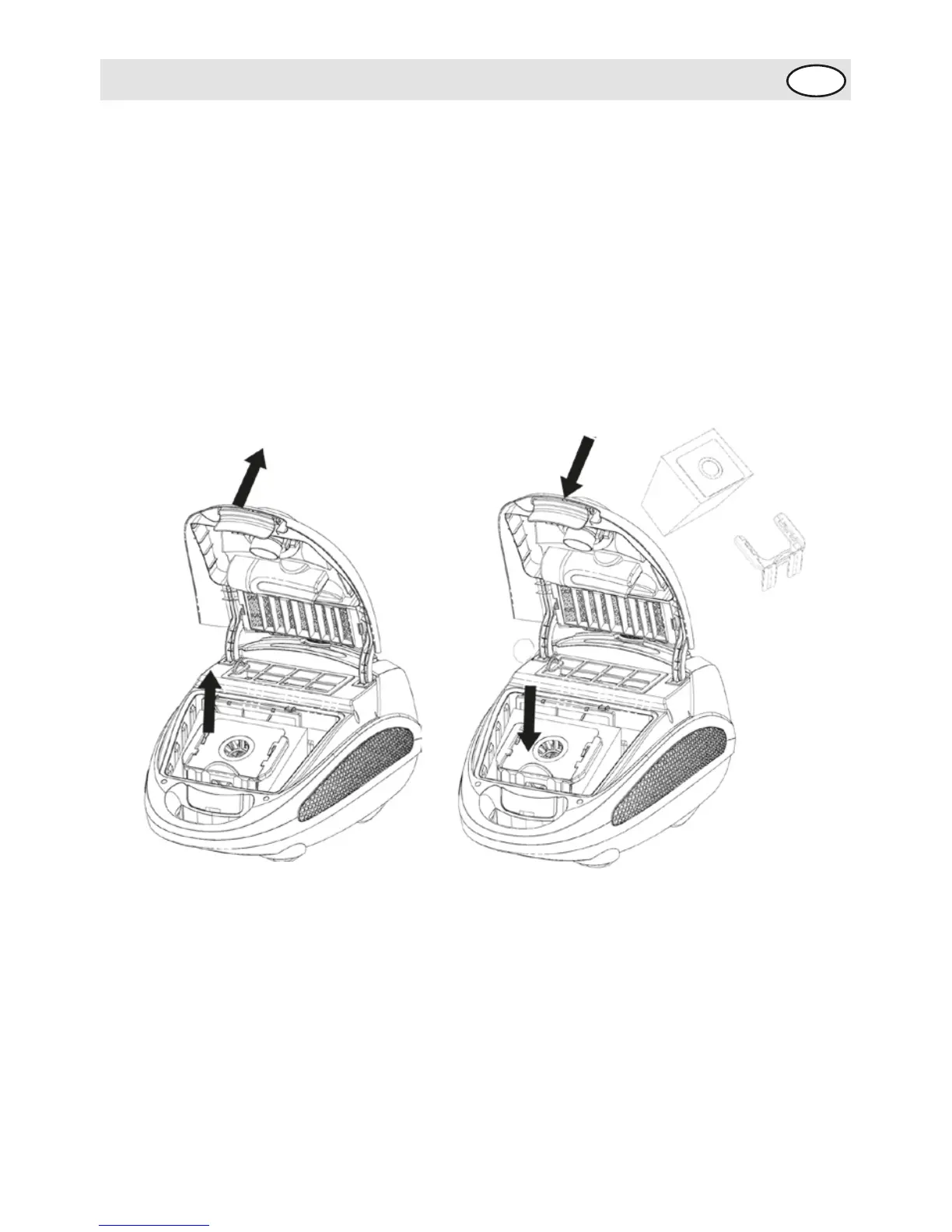
Maintenance: 1.Spilling rubbish from the dust bag
Always operate the cleaner with the dust dust bag
installed.
The dust bag must be emptied if the the dust bag indicator
turns fully red when the cleaner is operating at maximum
power and the nozzle is raised from the floor.
• After removing the vacuum hose and press the front cover
locking and open the cover
• Take out the dust bag
• Replace the dust bag
• Subassembly until it is locked





 To Next Page