EasyManua.ls Logo

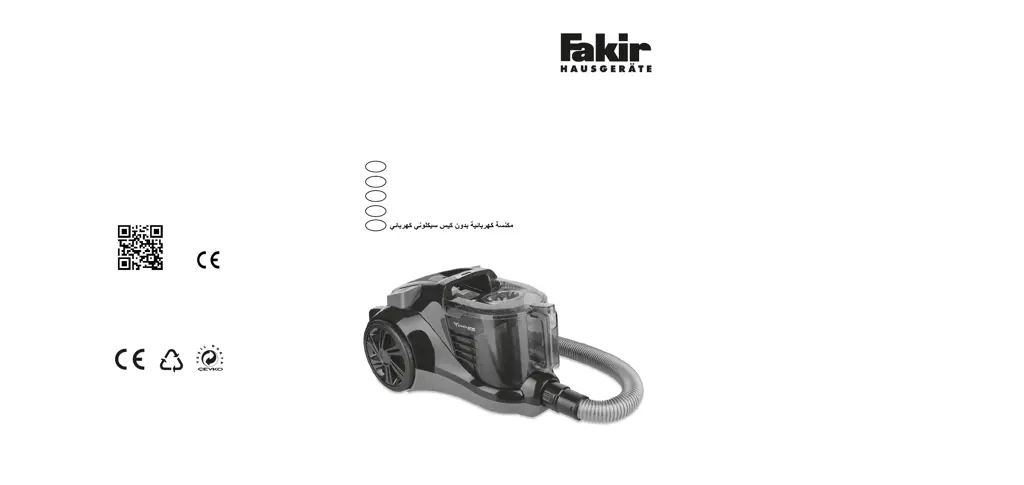
Fakir RANGER ELECTRONIC - User Manual

Fakir RANGER ELECTRONIC
54 pages
Go to English
Print Icon
To Next Page IconTo Next Page
Loading...
© 2019 Fakir Hausgeräte GmbH
Industriestr. 6 - 71665 Vaihingen/Enz - info@fakir.de
Änderungen vorbehalten
Subject to revision
36 76 994 - 9902
Cухого вакуумного пылесоса без мешка
RANGER ELECTRONIC
Beutelloser Bodenstaubsauger
Bagless Vacuum Cleaner
Toz Torbasız Elektrikli Süpürge
DE
TR
EN
AR
RU
Üretici/İthalatçı - Manufacturer/Importer:
Fakir Elektrikli Ev Aletleri Dış Ticaret A.Ş.
Meşrutiyet Cd. No:43 Tepebaşı 34430 İstanbul TÜRKİYE
Tel: +90 212 249 70 69 Faks:+90 212 293 39 11

Table of Contents

Questions and Answers

  • G
    Gabriel RiveraAug 9, 2025
    How to troubleshoot a Fakir Vacuum Cleaner that does not suck up dirt?
    • P
      pbondAug 9, 2025
      If your Fakir Vacuum Cleaner isn't sucking up dirt, start by emptying or cleaning the dust container. Ensure that you've selected the correct brush or nozzle for your flooring type. Next, check and clean the cassette filter, HEPA, felt filter and sponge filter. Finally, inspect the nozzle, telescopic tube, and suction hose for any blockages, removing them as needed, using a wooden rod if necessary.
  • R
    Ruben HallAug 22, 2025
    What to do if my Fakir RANGER ELECTRONIC does not work?
    • A
      Alyssa MerrittAug 22, 2025
      If your Fakir Vacuum Cleaner isn't working, first ensure it's properly plugged in and switched on. If it still doesn't work, test it in a different socket to rule out power issues with the original socket. If the problem persists, the power cable may be damaged and should be replaced by authorized Fakir services.

Fakir RANGER ELECTRONIC Specifications

General IconGeneral
BrandFakir
ModelRANGER ELECTRONIC
CategoryVacuum Cleaner
LanguageEnglish

Related product manuals