EasyManua.ls Logo

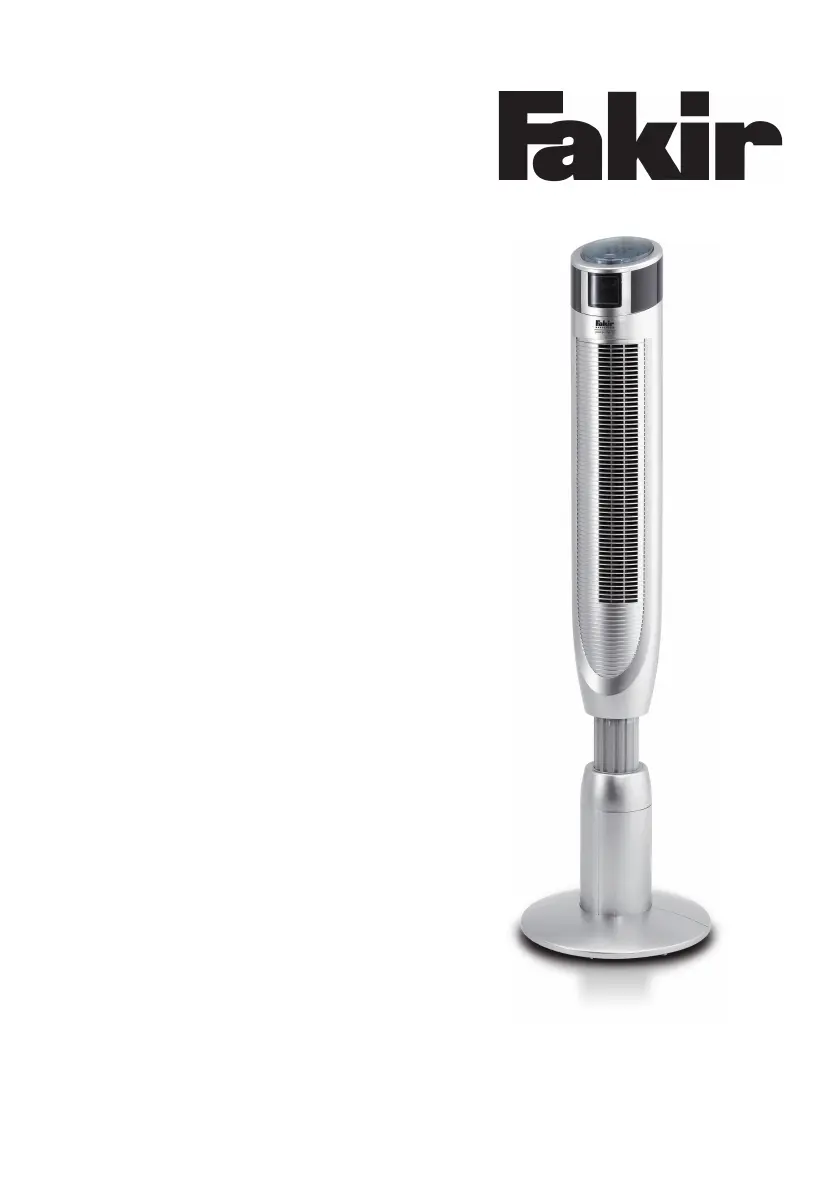
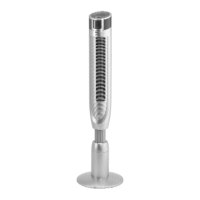
Fakir TVL 30 - User Manual

Fakir TVL 30
36 pages
Go to English
Print Icon
To Next Page IconTo Next Page
Loading...
premium | TVL 30
Bedienungsanleitung
Turm-Ventilator
de - DE

Questions and Answers

  • M
    Mr. Richard OdomAug 14, 2025
    How to fix a Fakir TVL 30 that does not work?
    • N
      Nathan RogersAug 14, 2025
      If your Fakir Fan isn't working, first ensure it's properly plugged into the wall socket and switched on. Check if the wall socket has electricity by testing with another device. If the power cord is damaged, contact an authorized Fakir Service.
  • J
    jacob82Aug 17, 2025
    What to do if the Fakir Fan remote control does not work?
    • J
      Juan PeckAug 17, 2025
      If the remote control for your Fakir Fan isn't working, start by replacing the batteries with new ones. Make sure you insert the batteries correctly.
  • K
    Kenneth HarrisAug 20, 2025
    Why is my Fakir TVL 30 Fan so loud?
    • M
      Marie JonesAug 20, 2025
      If your Fakir Fan is making unusual noises, it might be due to foreign particles stuck inside. Try to remove any foreign particles that may be causing the noise.
  • G
    Gail RussoAug 23, 2025
    What to do if the timer on my Fakir Fan is not working?
    • J
      Jonathan SimpsonAug 25, 2025
      If the timer on your Fakir Fan isn't working, first check that the timer is switched on. If the timer continues to malfunction, contact an authorized Fakir Service, as the timer might be defective.
  • H
    hollybernardAug 27, 2025
    What to do if my Fakir Fan does not operate?
    • J
      Jessica StuartAug 27, 2025
      If your Fakir Fan isn't working, there might be a few reasons: * Check if the plug is properly inserted into the wall socket and plug it in if it isn't. * Ensure the fan is switched on. * Try using a different wall socket to rule out electricity issues. * If the power cord is damaged, call the service hotline.
  • S
    Scott GutierrezAug 30, 2025
    Why is my Fakir TVL 30 remote control not working?
    • S
      Stanley MendezAug 30, 2025
      If the remote control for your Fakir Fan isn't working, it could be due to the following reasons: * The batteries might be empty, so try inserting new batteries. * The batteries might be inserted incorrectly; make sure they are properly oriented.
  • J
    Jennifer BrownSep 2, 2025
    What to do if my Fakir TVL 30 is unusually loud?
    • S
      shannonbaileySep 3, 2025
      If your Fakir Fan is making unusual noises, it's possible that foreign particles have become stuck inside. Try removing any foreign particles that you find.
  • S
    Sean NixonSep 6, 2025
    How to fix no oscillation on Fakir TVL 30 Fan?
    • D
      Dr. Alexa PetersSep 6, 2025
      If your Fakir Fan isn't oscillating, ensure that the oscillation function is switched on. If the oscillation is on and it still doesn't work, call the service hotline.
  • D
    daltondesireeSep 10, 2025
    What to do if timer is not working on Fakir Fan?
    • D
      Dr. Jennifer SmithSep 10, 2025
      If the timer on your Fakir Fan isn't working, first ensure that the timer is switched on. If the timer is on and it still doesn't work, call the service hotline.

Summary

General Information

About the Operating Instructions

Provides guidance on understanding and using the instruction manual for safe and proper operation.

Liability

Details the manufacturer's limited liability regarding damages from improper use or non-compliance with instructions.

Instructional Notices

Explains warning symbols and their meanings: WARNING, ATTENTION, and NOTICE.

Safety Precautions

CE Compliance

Confirms the appliance meets relevant EU product safety and directive requirements.

Proper Intended Use

Specifies that the fan is for domestic/office ventilation and prohibits commercial use.

Prohibited Usage

Lists examples of misuse leading to malfunctions, damage, or injury, like near flammable materials.

Child Safety Guidelines

Details safety guidelines for appliance use by children and supervision requirements.

General Safety

Instructions on airflow direction, clearance, and avoiding obstruction for safe operation.

Electrical Safety

Warnings about voltage, immersion in liquids, wet hands, and power cord handling.

Emergency Actions

Immediate action required in case of danger or accident: unplug the appliance.

Shipping and Packaging

Instructions for packaging the appliance for transport or servicing to prevent damage.

Handling Defects

Guidance on operating a defective appliance and contacting service for troubleshooting.

Product Overview

Unpacking and Contents

Details the contents of the package and instructions for checking upon receipt.

Technical Specifications

Provides specifications like voltage, power consumption, dimensions, weight, and range.

Preparation for Use

Fan Assembly

Step-by-step guide for assembling the pedestal fan, including base and height adjustment.

Remote Battery Setup

Instructions for inserting and replacing batteries in the remote control unit.

Operating the Fan

Device and Remote Controls

Identifies key components of the device and remote control for operation.

Powering On;Off

Procedure for powering the fan on and off using the ON/OFF button.

Adjusting Fan Speed

How to select and adjust fan speed levels using the +/- buttons.

Advanced Fan Features

Setting Oscillation

Instructions for setting the swivel range (0° to 360°) for air distribution.

Using the Timer

Details how to set automatic shut-off times for the fan.

Ionizer Air Purification

Explains the use of negative ions to purify and freshen the air.

Selecting Wind Modes

Guide to selecting different air flow modes: Normal, Natural, and Sleep.

Post-Operation Care

Cleaning and Maintenance

Instructions for cleaning the appliance, including safety warnings and recommended methods.

Problem Solving

Lists common problems, their possible causes, and solutions, including contact information.

Appliance Disposal

Guidelines for environmentally friendly disposal of the appliance and packaging.

Fakir TVL 30 Specifications

General IconGeneral
BrandFakir
ModelTVL 30
CategoryFan
LanguageEnglish

Related product manuals