
 Need help?
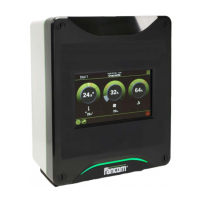
Do you have a question about the FALCOM LUMINA 17 and is the answer not in the manual?
Manuals that make up the system documentation for the control computer.
Explains the symbols and conventions used within the manual for clarity.
Contact information for obtaining support and assistance from Fancom.
Describes central management of Fancom equipment via software and communication module.
Details on how ventilation is used to create a pleasant climate and remove harmful substances.
Explains various heating controls that can be assigned independently.
Explains how the control computer manages cooling units.
Details the control types for maintaining desired humidity levels.
Optimum Setpoint Control that lowers energy costs by using a neutral zone.
Access point for configuring the control computer and performing system settings/diagnoses.
Step-by-step guide covering system, house, climate, clocks, and external alarm settings.
Details on input/output connections and how to assign hardware and sequence addresses.
Configuration of system settings like program version, clock type, time, date, and language.
Functions for transferring data and operating programs to/from an SD card.
Displays data related to the control computer's application.
Settings for I²C, I/O-Net, FNet, and Slaves communication protocols.
Allows testing of communication channels and control of inputs/outputs.
Configuration options for heating, cooling, pressure, RH, humidification, and climate measurements.
Configuration of ventilation settings, including the combi-table and various control types.
Configuration of heating, cooling, and humidification controls.
Setting up time clocks and feed clocks for controlling external equipment and feeding systems.
Registering digital inputs like water usage via pulse counts or contacts.
Configuration for outside temperature, RH, and wind measurements.
Setting up inside climate measurements like temperature, pressure, RH, and CO2/NH3.
Setting of the name, input address, input type, and alarm handling for external alarms.
How the thermo differential system works and its connection to a fire alarm installation.
Process of assigning the relay for the thermo differential function.
Procedure for resetting thermo differential alarms.
How to assign hardware and sequence addresses for input/output connections.
Procedures for calibrating measurements like pressure, RH, temperature, and wind direction.
Settings for analog inputs, including address, type, measurement, and correction.
Settings for digital inputs, including address and type of measurement.
Settings for analog outputs, including address, channel type, and correction factor.
Settings for digital outputs, including address, channel function, hysteresis, and repeat time.
Diagram and identification of components within the interior control computer.
Technical details for the FDP25 power supply unit.
Specifications for the IOB.4 module (analog/digital I/O).
Specifications for the FRM.8 module (digital outputs).
Guidelines for network connection and terminal resistor usage.
 General
| Brand | FALCOM |
|---|---|
| Model | LUMINA 17 |
| Category | Network Hardware |
| Language | English |

 To Next Page