EasyManua.ls Logo

FALEEMI FSC776B - User Manual

FALEEMI FSC776B
18 pages
Print Icon
To Next Page IconTo Next Page
Loading...
www.faleemi.com/support
We at Faleemi are committed to do our part in protecting our environment. In
this continuing effect, we have supplied the detailed manuals, documentation,
software, troubleshooting and video guides on our website.
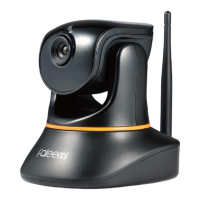
Pan/Tilt WiFi Security IP Camera
Quick Start Guide
FSC776
FSC776B
FSC776W
www.faleemi.com
Technical specifications are subject to change without notice.
No responsibility is taken for errors in contents or printing.
© Faleemi Technologies Ltd or its affiliates. All rights reserved.
Apple, Apple Store, iPad, iPhone, MAC (Text, Logo, Picture) are trademarks of Apple, Inc.
Android, Google Play (Text, Logo, Picture) are trademarks of Google Inc.
Samsung (Text, Logo, Picture) is a registered trademark of Samsung Electronics Co., Ltd.
MicroSD text and logo are the trademark of SD-3C, LLC.
Wi-Fi is a registered trademark of the Wi-Fi Alliance.
All other products, names or companies are the brands or registered trademarks of their
respective owners.
support@faleemi.com
facebook.com/faleemi
support@faleemi.com
youtube.com/c/Faleemi
Version.01. 2019
Faleemi Technologies Ltd
Question and Answer IconNeed help?

Do you have a question about the FALEEMI FSC776B and is the answer not in the manual?

Summary

Camera Connections and Initial Setup

Camera Connections and Indicator Lights

Describes camera components, ports, and status indicator light meanings.

Download Faleemi App

Instructions for downloading the Faleemi mobile application for setup.

Setup Option A: WPS;QSS Button Setup

Setup Option B: One Key WiFi

Add Camera to Faleemi App

Setup Option C: WiFi Configuration Guide

Live Video Interface

Pan;Tilt;Zoom Control

Connect Camera to Second Phone

Advanced Settings

Message Alert Configuration

Sets up notifications for motion detection or other events within the app.

Memory Card Recording Settings

Alarm Video Recording and Playback

View Recorded Video

How to access and play back video clips stored on the memory card.

Troubleshooting and Network Settings

Change Camera Password

Steps to update the default security password for the camera.

Volume Adjustment

How to control the audio input and output levels for the camera.

Video Stream Resolution and Flip

How to change video quality and camera orientation.

Factory Reset Procedure

Instructions to restore the camera to its original default settings.

WiFi SSID and MAC Address

Information on identifying and changing WiFi network settings.

Email Alerts Setup

Guide for configuring email notifications for camera events.

PC;Mac Linking

Instructions for connecting the camera to a computer using Faleemi Plus software.

FALEEMI FSC776B Specifications

General IconGeneral
BrandFALEEMI
ModelFSC776B
CategoryIP Camera
LanguageEnglish

Related product manuals