Need help?
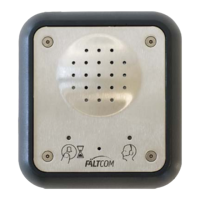
Do you have a question about the FältCom ECII Basic and is the answer not in the manual?
Connect the alarm button to the device for initial setup.
Connect the device to an analogue telephone line.
Enter programming mode for normally closed alarm buttons.
Enter programming mode for normally open alarm buttons.
Configure the alarm button for normally closed operation.
Configure the alarm button for normally open operation.
Enter the emergency telephone number to be stored.
Set or change the security code for the device.
Exit the programming mode after configuration.
Configure the type of alarm button (breaking or closing function).
Program emergency call numbers and associated ID numbers.
Configure answering functions for incoming alarm calls.
Set the delay time for the alarm button activation.
Activate and configure test alarm functions.
Configure how alarms are acknowledged.
Sequence to exit the programming mode.
Dimensions and layout for panel mounting the device.
Details for installing with an arched mount.
Details for installing with a quadrant mount.
Illustrations showing jumper positions for OFF and ON states.
Phone numbers and email for product support.
Mailing and service addresses for Fält Communications AB.


 To Next Page
 General