GETTING STARTED
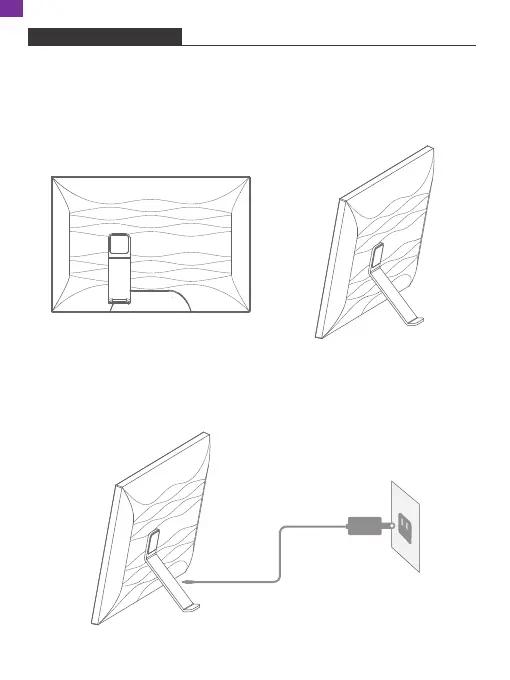
1. Installing the Frame Stand
Attach the frame stand to the back of the frame. The frame stand is magnetic so
that you can easily install the frame in the correct position according to the magnet
design. You can place the digital photo frame horizontally or vertically. It is highly
recommended to place the photo frame horizontally during the first set up.
2. Connecting to Power
Connect the power cable to your frame and plug the power adapter into a wall
outlet. The photo frame will automatically power up.
04
EN



 To Next Page