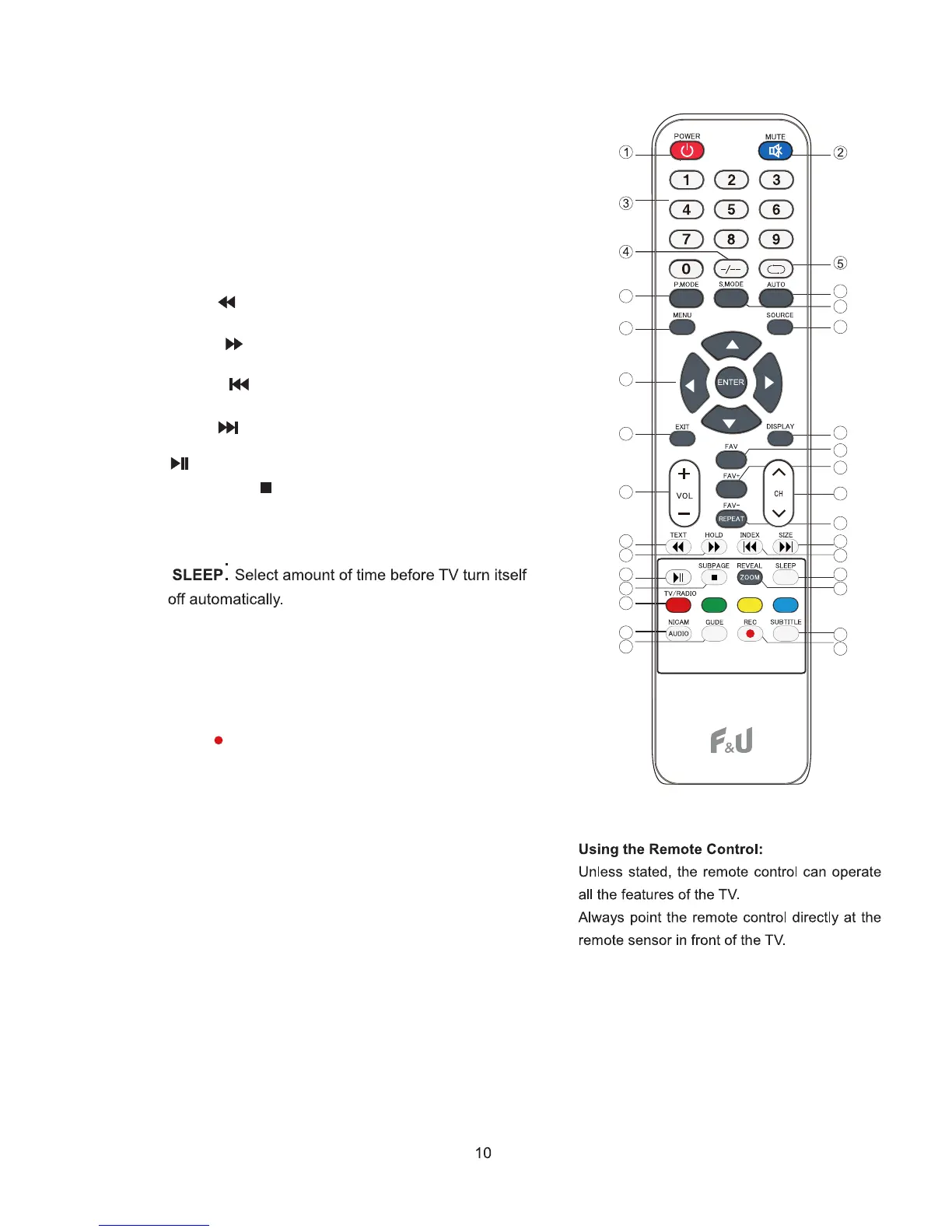
14. VOL+ or VOL-: Increases or decreases the TV volume.
15. FAV: Show the favorite channel list.
16. FAV+: Scans up through the current favorite channel list.
17. FAV-/REPEAT : Scans down through the current favorite
18. CH+ or CH-: Scans up or down through the current
channel list. Press once to change the channel up or
down; press and hold to continue changing channels.
19. TEXT/ :Press to turn the Teletext On and Off.
:Play or Pause.
21. INDEX/ :Press to return to the index/initial page.
Press Stop playing.
25.
26.
REVEAL/ZOOM: Reveal or Hide the hidden words.
Screen zoom
20. HOLD/ :Hold On or Off for current page display.
Fast review.
23.
24. SUBPAGE/ :Display a sub-page of upper options.
Fast forward.
22. SIZE / :Change the size of display in Teletext mode.
Go to previous chapter of media file.
next chapter of media file.
30. REC/ : start a PVR recording in DTV mode
28. AUDIO:Displays audio language menu in media mode.
31. SUBTITLE: Select sub-title. (If available)
27. NOTE: Color buttons are available for OSD, please follow
the on-screen display.
6
10
11
13
14
23
24
27
28
29
8
7
9
12
18
26
25
31
30
15
16
17
22
21
19
20
29. GUIDE:Electronic Program Guide - electronic program
guide, show and hide
channel list. Selects the repeating mode.Reveal



 To Next Page