English - 30 -
not meet the speed requirements. Try connecting
another USB disk.
Media Browser Menu
Youcanplayphoto,music,andmovielesstoredona
USB disk by connecting it to your TV. Connect a USB
disk to one of the USB inputs located on the side of
the TV. Pressing the Menu button while in the Media
Browser mode will access the Picture, Sound and
Settings menu options. Pressing the Menu button
again will exit from this screen. You can set your Media
Browser preferences by using the Settings Menu.
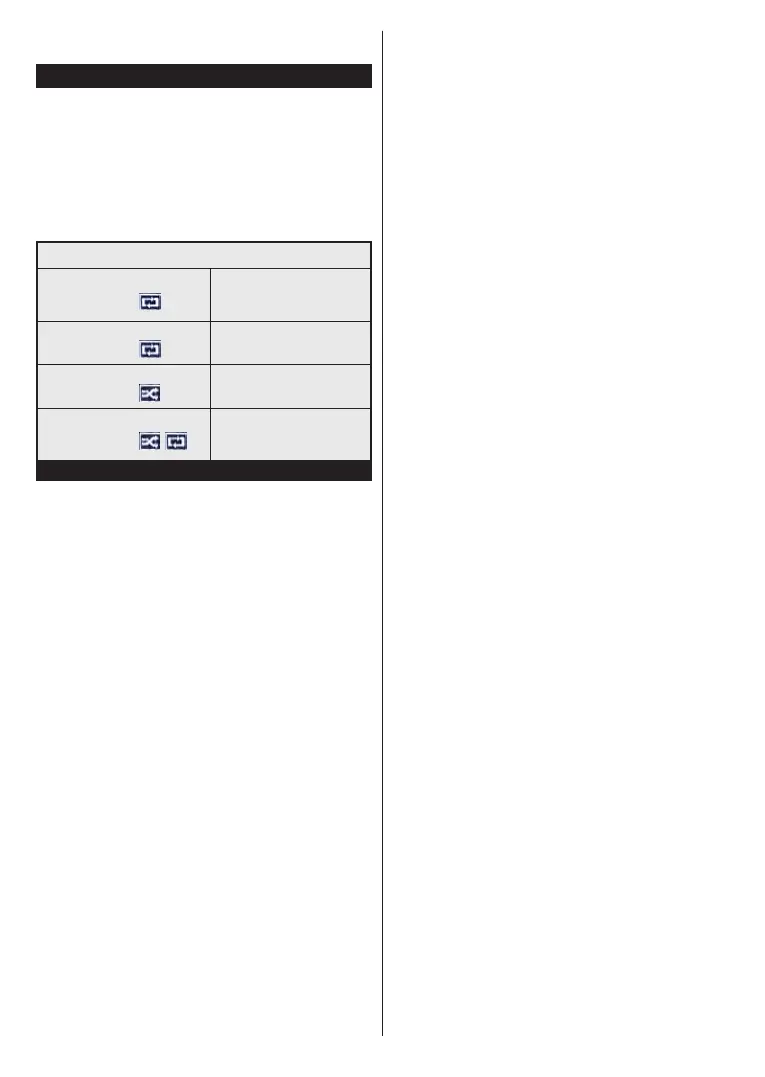
Loop/Shufe Mode Operation
Start playback with the Play
button and activate
Alllesinthelistwillbe
continuously played in original
order
Start playback with the OK
button and activate
Thesamelewillbeplayed
continuously (repeat)
Start playback with the Play
button and activate
Alllesinthelistwillbe
played once in random order
Start playback with the Play
button and activate
,
Alllesinthelistwillbe
continuously played in the
same random order.
CEC and CEC RC Passthrough
This function allows to control the CEC-enabled
devices, that are connected through HDMI ports by
using the remote control of the TV.
The CEC option in the System>Settings>More menu
should be set as Enabled
atrst.PresstheSource
button and select the HDMI input of the connected
CEC device from the Sources List menu. When
new CEC source device is connected, it will be listed
in source menu with its own name instead of the
connected HDMI ports name(such as DVD Player,
Recorder 1 etc.).
The TV remote is automatically able to perform the
main functions after the connected HDMI source has
been selected.
To terminate this operation and control the TV via
the remote again, press Quick Menu button on the
remote, highlight the CEC RC Passthrough and
set as Off by pressing Left or Right button. This
feature can also be enabled or disabled under the
System>Settings>More menu.
The TV supports also ARC(Audio Return Channel)
feature. This feature is an audio link meant to replace
other cables between the TV and the audio system
(A/V receiver or speaker system).
When ARC is active, TV does not mute its other audio
outputs automatically. So you need to decrease TV
volume to zero manually, if you want to hear audio from
connected audio device only (same as other optical or
co-axial digital audio outputs). If you want to change
connected device’s volume level, you should select
that device from the source list. In that case volume
control keys are directed to connected audio device.
Note: ARC is supported only via the HDMI1 input.
System Audio Control
AllowsanAudioAmplier/Receiverto beused with
the TV. The volume can be controlled using the
remote control of the TV. To activate this feature set
the Speakers option in the System>Settings>More
menu as Amplier. The TV speakers will be muted
and the sound of the watched source will be provided
from the connected sound system.
Note: The audio device should support System Audio Control
feature and CEC option should be set as Enabled.



 To Next Page