8
7
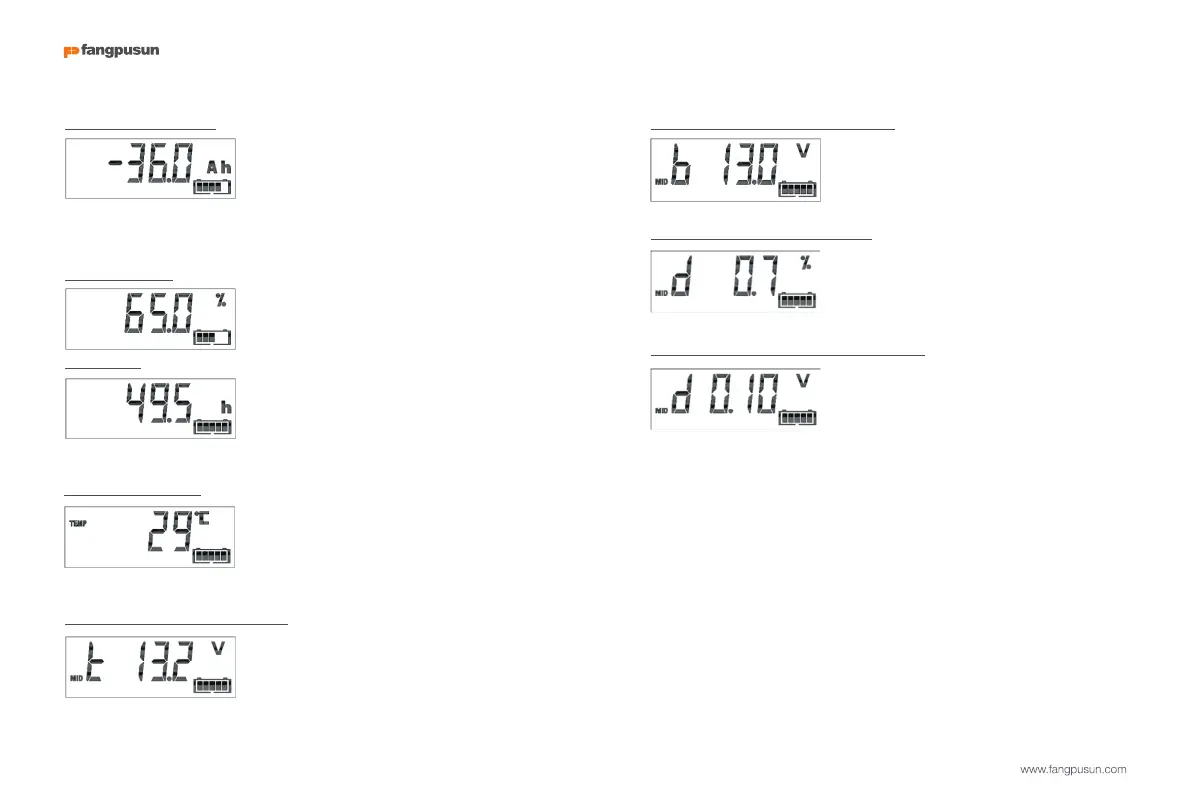
Consumed Amp-hours
The amount of Ah consumed from the battery
Example:
If a current of 12A is drawn from a fully charged battery for a period of 3
hours, this readout will show -36.0Ah.
(-12 x 3 = -36)
A fully charged battery will be indicated by a
value of 100.0%. A fully discharged battery
will be indicated by a value of 0.0%.
Time-to-go
An estimation of how long the battery can
support the present load until it needs
recharging.
The time-to-go displayed is the time to reach the discharge floor.
See 4.2.2, setting number 16.
Battery temperature
BMV-702 only, when the auxiliary input is set to
TEMP
The value can be displayed in degrees Celsius or degrees Fahrenheit. See
section 4.2.5
State-of-charge
Battery bank top section voltage.
BMV-702 only, when the auxiliary input set to MID.
Compare with the bottom section voltage to check battery balancing.
For more about battery midpoint monitoring, see section 5.2.
Battery bank bottom section voltage
BMV-702 only, when the auxiliary input is set to
MID.
Compare with the top section voltage to check battery balancing.
Battery bank mid-point deviation
BMV-702 only, when the auxiliary input is set to
MID.
Deviation in percent of the measured mid-point voltage.
Battery bank mid-point deviation voltage
BMV-702 only, when the auxiliary input is set to
MID.
Deviation in Volts of the mid-point voltage.
2.2 Synchronizing the BMV
For a reliable readout, the state of charge as displayed by the battery monitor
has to be synchronized regularly with the true state of charge of the battery. This
is accomplished by fully charging the battery.
In case of a 12V battery, the BMV resets to ‘fully charged’ when the following
‘charged parameters’ are met: the voltage exceeds 13.2V and
simultaneously the (tail-) charge current is less than 4.0% of the total battery
capacity (e.g. 8A for a 200Ah battery) during 4 minutes.
The BMV can also be synchronized (i.e. set to ‘battery fully charged’) manually
if required. This can be achieved in normal operating mode by holding the + and
– buttons simultaneously for 3 seconds, or in setup mode by using the SYNC
option (see section 4.2.1, setting number 10).
If the BMV does not synchronize automatically, the charged voltage, tail
current, and/or charged time may need adjustment.
When the voltage supply to the BMV has been interrupted, the battery
monitor must be resynchronized before it can operate correctly.


 To Next Page
 Loading...
