5
6
The cable with integrated temperature sensor has to be purchased
separately (part no: ASS000100000). This temperature sensor is not
interchangeable with other Fangpusun temperature sensors, as used
with Multis/Quattros or battery chargers.
1.3 Important combined button functions
(see also section 4.1: using the menus)
a) Restore factory settings
Press and hold SETUP and SELECT simultaneously for 3 seconds
b) Manual synchronization.
Press and hold the up and down buttons simultaneously for 3 seconds
c) Silence audible alarm
An alarm is acknowledged when any button is pressed. However, the alarm
icon is displayed as long as the alarm condition remains.
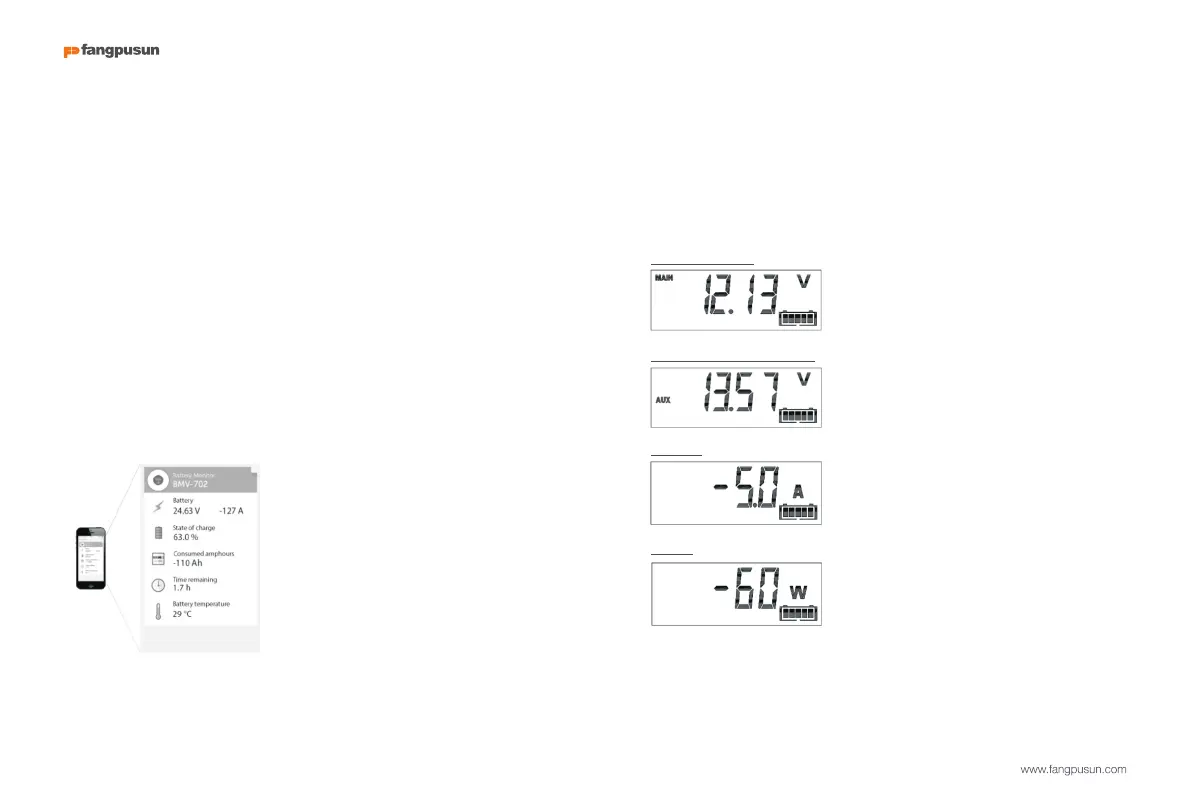
1.4 Real-time data displayed on a smartphone
With the VE.Direct Bluetooth Smart dongle real time data and alarms can be
displayed on Apple and Android smartphones, tablets and other devices
2 NORMAL OPERATING MODE
2.1 Read-out overview
In normal operating mode the BMV displays an overview of important
parameters.
The + and – selection buttons give access to various read-outs:
Battery voltage
Auxiliary battery voltage
Current
BMV-702 only, when the auxiliary input is set
to START.
The actual current flowing out of the battery
(negative sign) or into the battery (positive
sign).
Power
The power drawn from the battery (negative
sign) or flowing into the battery (positive sign).


 To Next Page