EasyManua.ls Logo

Fangscoo TK-202 - Usage: IP and Port Configuration; Home Monitoring; Host Assembly and Setup

Default Icon
11 pages
Print Icon
To Next Page IconTo Next Page
To Previous Page IconTo Previous Page
Loading...
GPS
/
GSM
/
GPRS
TRACKER
Set
IP
and
Port
The
IP
is
the
address
of
your
network,
and
the
Port
is
related
to
certain
computer.
After
you
set
this,all
data
from
the
tracker
will
be
sent
to
this
address.
That
means
there
will
be
now
SMS
geo-info any
more.
You
can
say,
IP
has
more
priority
then
authorized
number.
Send
SMS
command
"
adminip+password+space+ip
content+space+port
content
"
to
set
the
IP
and Port,
for
example
"adminip
211.154.139.227
9001".
(For
ARM7
solution,
tracker
can
also
accept
GPRS
commands,
the
format
of
the
commands
via
GPRS are
the
same
as
SMS
commands
mentioned
above.)
6.
HOME
MONITORING
6.1
ASSEMBLE
THE
HOST
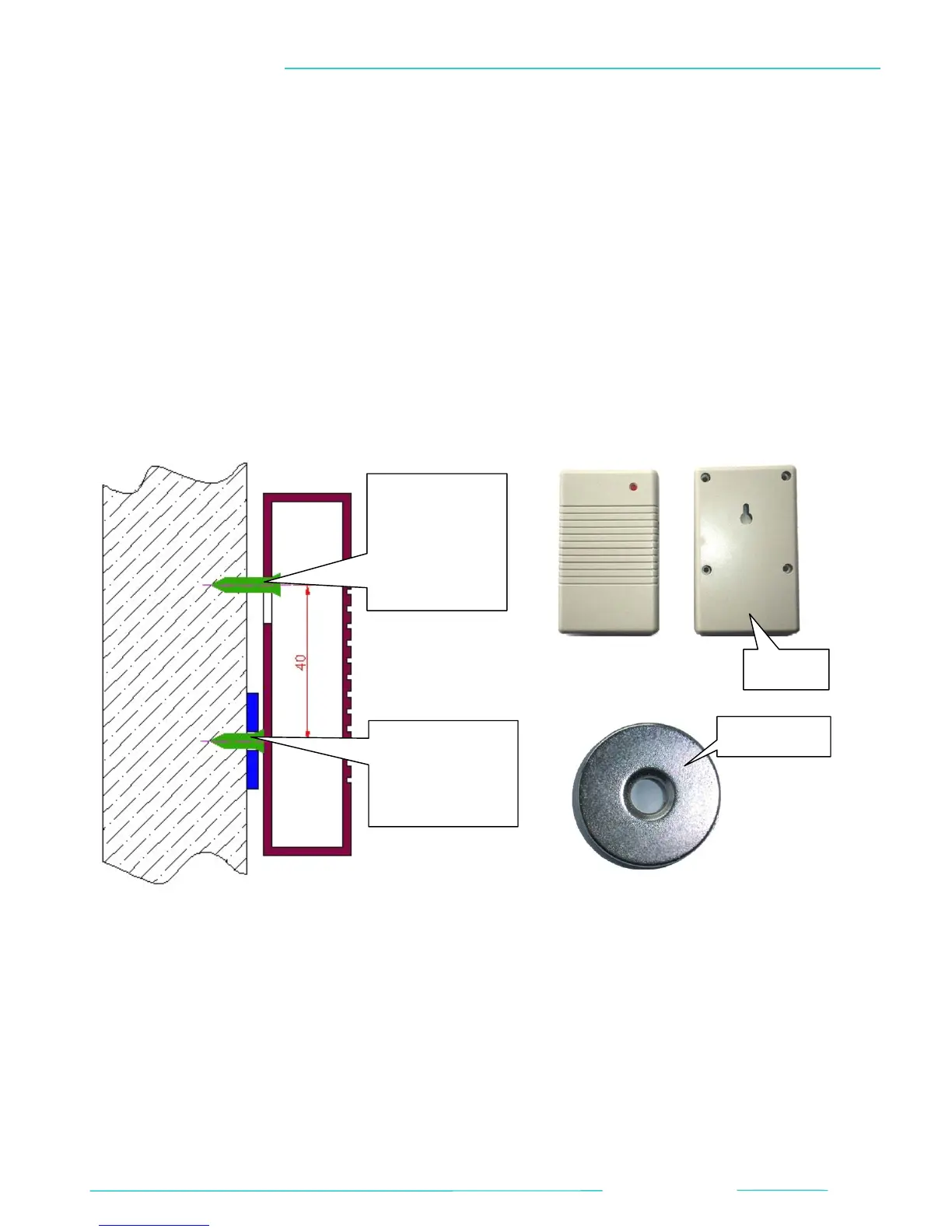
Fix a screw
in
the wall and
hang the
host on it.
HOST
MEGNET
Fix the
magnet to the
wall with a
screw.
6.2
SET
THE
HOME
MONITORING
First
insert
the
battery
to
the
host
and
connect
the
host
to
the
power
supply.
The
indicator
of
the host
will
light
which
means
working
normally.
Send
SMS
command
"
openhome+password
"
to
enable
the
home
minitoring.
You
will
receive
reply as
"openhome
ok!"
if
the
setting
is
successful.
Then
if
you
call
the
tracker,
it
will
give
you
indication
as
power
off.
When
the
tracker
leave
away
the host
for
20~30
meters,
the
tracker's
display
will
flash
blue
light,
meantime
the
tracker
will
(BACK TO TOP)
10