24
8. Remote control
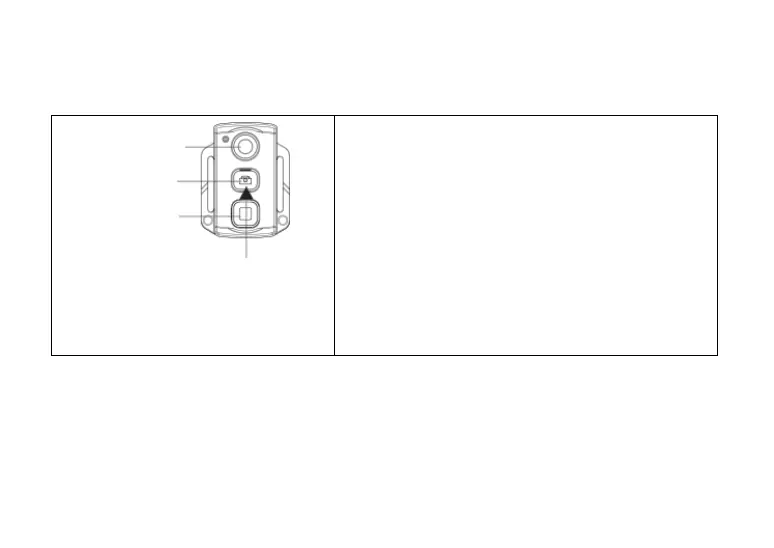
You can use the remote control (optional available) to remote video recording, photo shooting and turn
the laser function on/off. The red indicator on the remote control will twinkle once when you press any
of the following keys.
Record
Shutter
Stop
Press the Shutter key for 3
seconds to turn on or of the laser
function.
Please follow the steps below to pair the remote
control before the first usage.
Press and hold the “Record” key of the device, turn
the power switch to “ON”, and then release the
”Record” key of the device after 3 seconds.
Then press “Record” and “Stop” key on the remote
control at the same time for 3s to finish the remote
control pairing process. The device will tick twice
after pairing the remote control successfully.
To test the correspondence of the remote control
and the device, keep the Shutter button pressed
for 3s to turn on/off the laser function.
Note:
a) The remote control functions include: Video recording starting/stopping, photo shooting, standby
mode and laser light turning on/off. The device will tick once for each operation. In case of video record
stopping or laser light turning off, the device will tick twice.
b) Remote control range: The remote control can work within 15 meters (horizontally without barriers).
c) Pressing “Record” , “Shutter” or “Stop” key on the remote control can wake up the device out of the
standby mode.



 To Next Page