Quick Installation Guide
1.
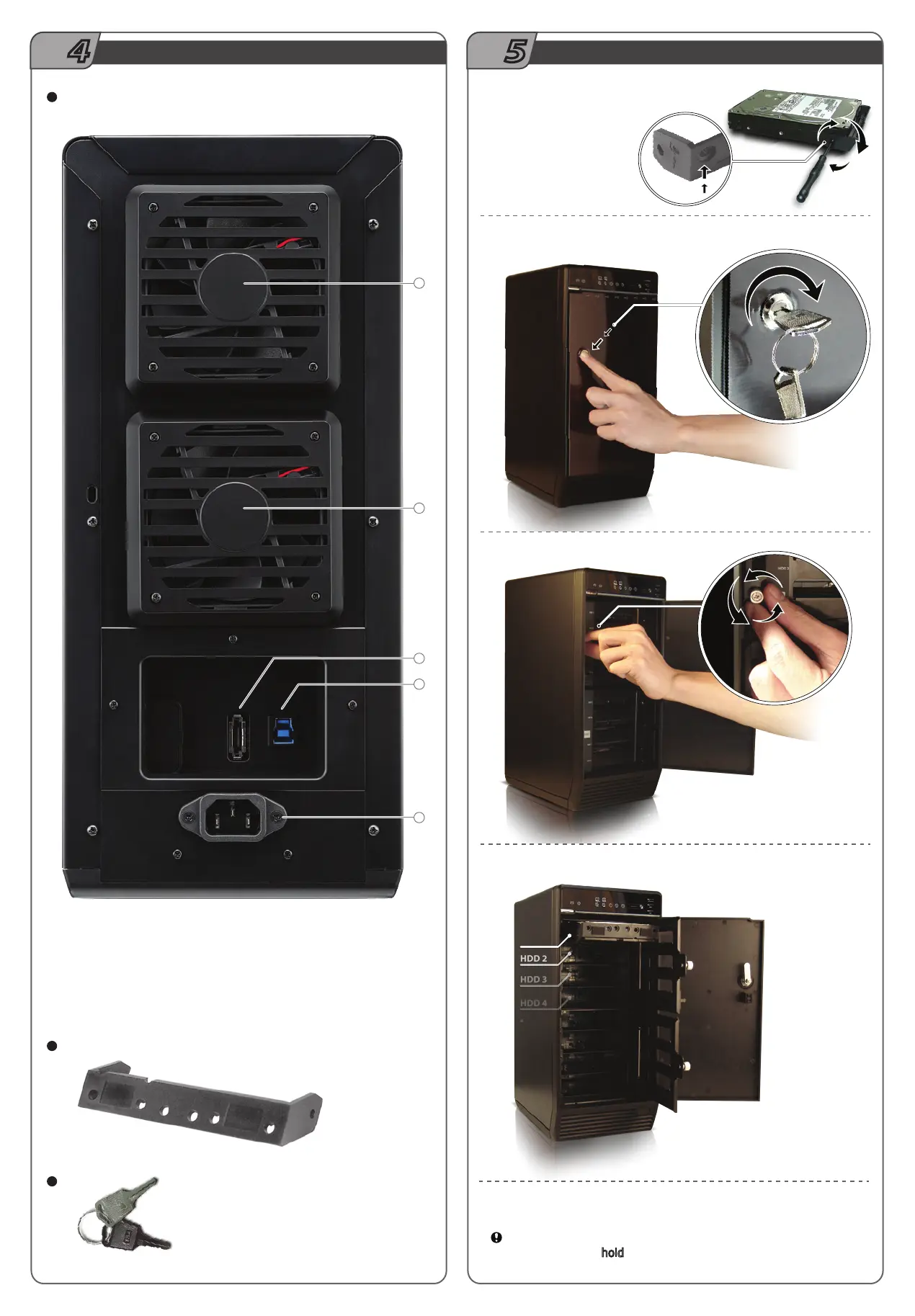
Please use screws to secure the handles
to the HDDs.
2.
Unlock the cover with the key supplied and press onto the lock
to open the cover.
3.
Open the inner covers.
1
1
4
3
2
Descriptions
Fan
eSATA port
USB 3.0 / USB 2.0 port
AC Input port
1.
2.
1.
3.
4.
Rear Panel Overview
Rear Panel
HDD Handle
Keys
4.
Install the HDDs from up to down.
HDD 1
5.
Close and secure the covers.
6.
Plug in USB or eSATA cable
USB interface is the default setting and if users wish to change to
eSATA, press and hold
"Interface" for 3 seconds.
STEP
4
STEP
5



 To Next Page