Initialization
1.
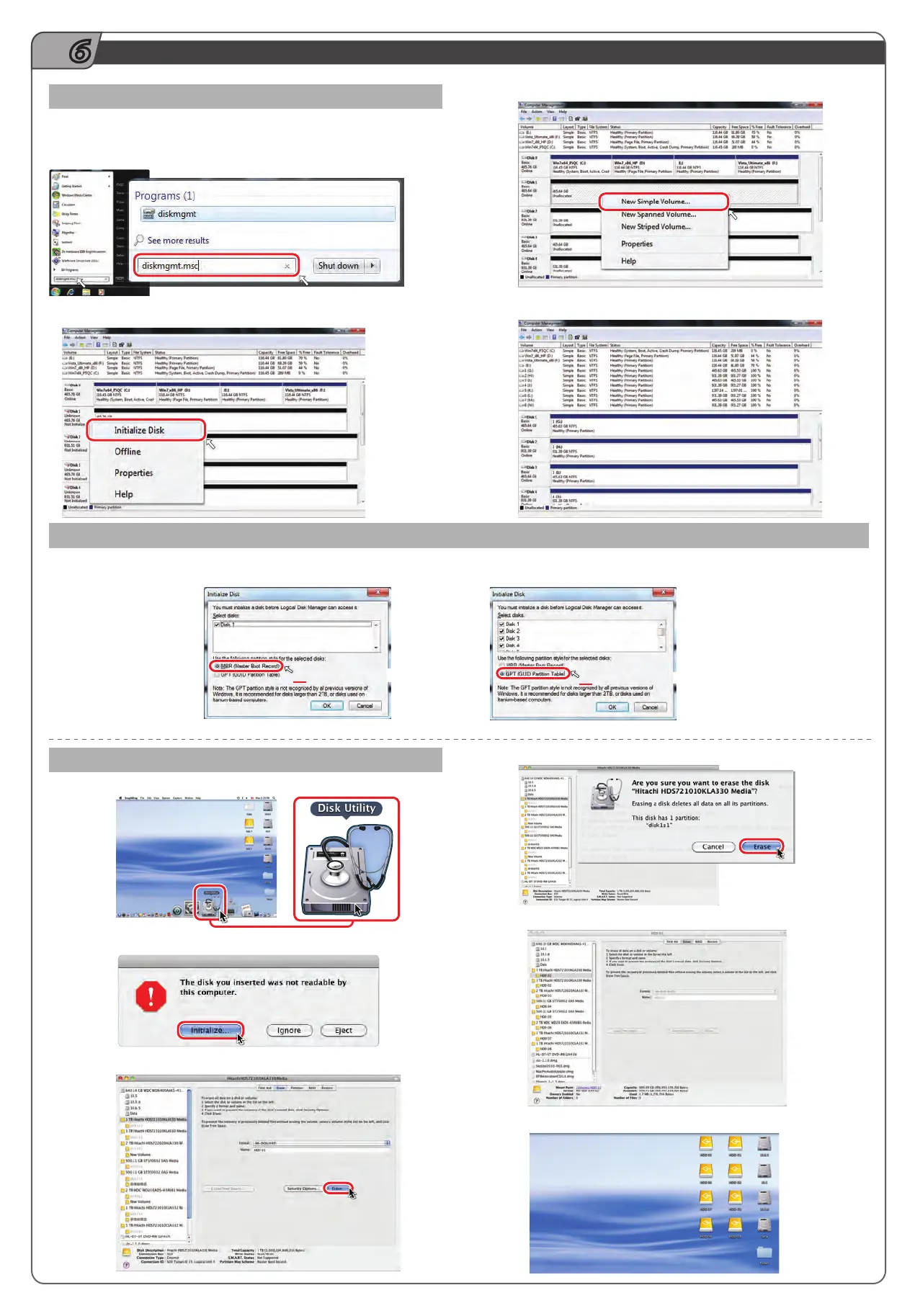
Start disk initialization.
3.
HDD format completed.
2.
Create new partition and format disk.
If the HDD is uninitialized, you may have to initialize it by doing steps as
followed: At first click “Start” at your PC and key in
“diskmgmt.msc”. After that please press “OK” key.
MS Windows (32/64 bit)
Note: Please enable GPT (Vista/7) if the total capacity is more than 2TB and enable MBR if the total capacity is less than 2TB.
Start disk initialization.
Activate MBR if total volume is less than 2TB
MBR (Master Boot Record)
Activate GPT if total volume is more than 2TB
GPT (GUID Partition Table)
2.
HDD initialize...
1.
Click on Programs > Utility > Disk Utility icon.
Mac O.S. 10.5 or later
3.
Click Erase
4.
Click Erase
5.
HDD format in process
6.
Format completed
STEP
6



 To Next Page