Installation and Wiring Manual
Manuel pour l'Installation et le Câblage
RTS2
Ventilation Control System – 20 minute timer
Système de contrôle de ventilation – minuterie de 20 minutes
Product # / n° du produit: 40164
Item #: 401285
Rev Date: 2015-05-12
Operation modes of the RTS2
The Fantech RTS2 is compatible with Fantech SHR, VHR and SER series models.
This button activates the system on high speed ventilation mode for 20 minutes, it
then returns to the predetermined setting.
To cancel this operation, simply press the button a second time.
Modes de fonctionnement du RTS2
Le RTS2 de Fantech est compatible avec les séries SHR, VHR et SER de Fantech.
Cette minuterie démarre le système en mode de ventilation en vitesse maximale
pendant 20 minutes. Il retourne ensuite au réglage choisi.
L’opération peut être annulée en poussant le bouton une deuxième fois.
Wiring of the RTS2
Insert the stripped end of the wire into the terminal connection on the HRV or ERV marked T+ and T– or TIMER+ and TIMER –, near the power cord. Using a pen-type
screwdriver, tighten the screws. Run the wires to the RTS2. With the polarity respected, insert the stripped end of the wires into the electrical connections marked “+“
and “ – “ . Using a pen-type screwdriver, tighten the screws. Up to 5 timers can be installed in parallel.
Câblage du RTS2
Insérer les raccords femelles dans les raccords T+ et T– ou TIMER+ et TIMER –, situés près de la prise de courant du VRC ou VRE. Déplacer le fil jusqu’au RTS2. En
respectant la polarité, inserer les bouts de fils dénudés dans les raccords "+" et "-". Serrer les vis à l’aide d’un tournevis mince. Jusqu'à 5 minuteries peuvent être installés
en parallèle.
RTS2
or/ou
+ T
– T

 Need help?
 General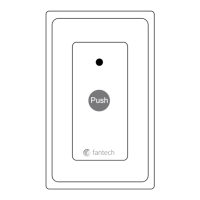

 To Next Page