12
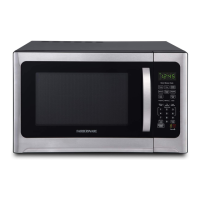
CONTROL PANEL
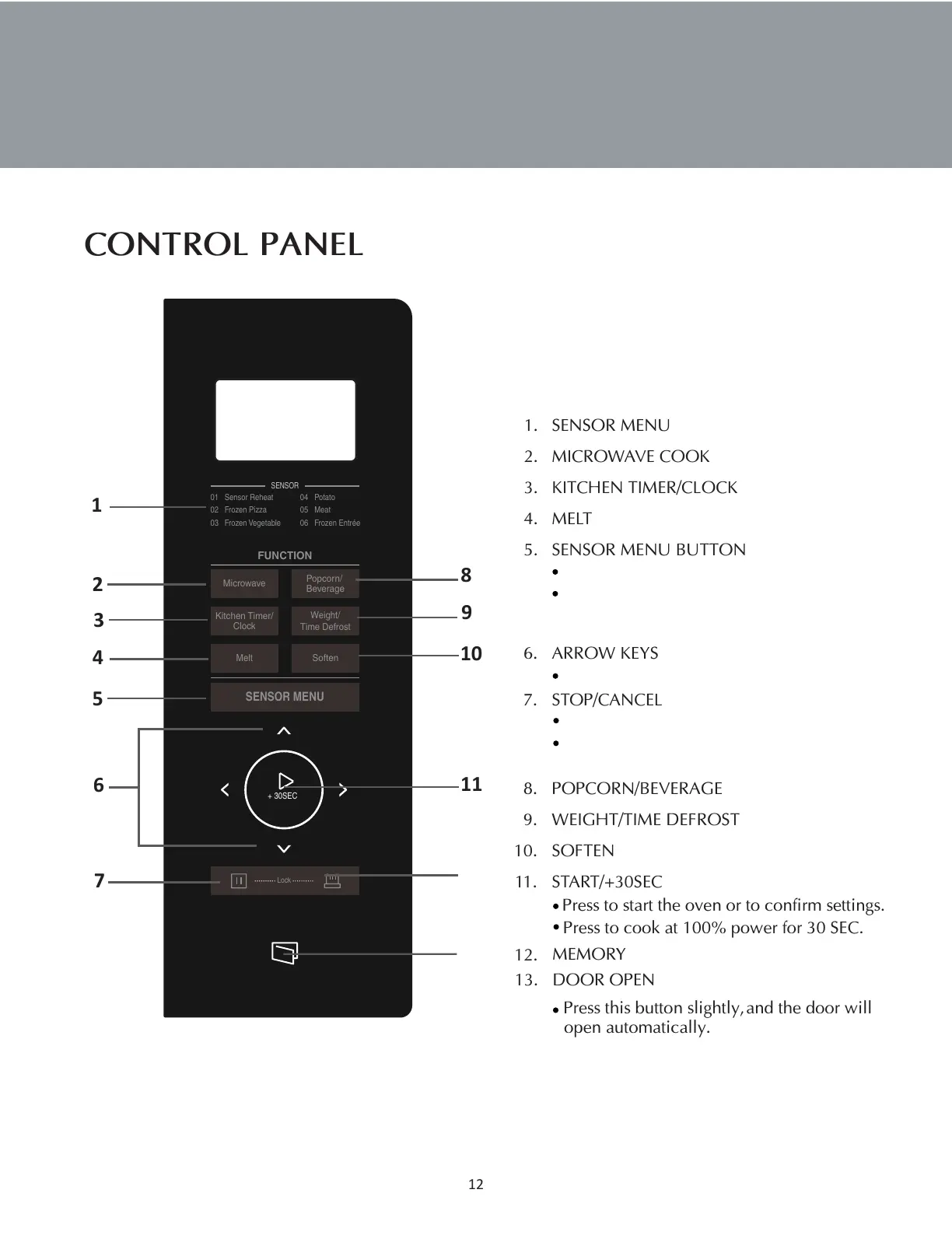
1. SENSOR MENU
2. MICROWAVE COOK
3. KITCHEN TIMER/CLOCK
4. MELT
5. SENSOR MENU BUTTON
6. ARROW KEYS
7. STOP/CANCEL
8. POPCORN/BEVERAGE
9. WEIGHT/TIME DEFROST
10. SOFTEN
11.
START/+30SEC
12.
MEMORY
13.
DOOR OPEN
Press to start the oven or to confirm settings.
Press to cook at 100% power for 30 SEC.
Press this button slightly,
and the door will
open automatically.
SENSOR
01 Sensor Reheat
02 Frozen Pizza
03 Frozen Vegetable
04 Potato
05 Meat
06 Frozen Entrée
FUNCTION
Microwave
Kitchen Timer/
Clock
Popcorn/
Beverage
Weight/
Time Defrost
Melt
Soften
SENSOR MENU
+ 30SEC
Lock
6
1
2
3
4
5
7
8
9
10
11
12
13
Press to select weight or time.
Press to stop the oven or clear all previous settings.
Press and hold for 3 seconds to lock the control
panel.
Press repeatly to select the sensor cooking menu.
Sensor menu automatically program cooking time
and power based on sensor assessment of the
steam emitted from food while cooking.







 To Next Page