13
OPERATION
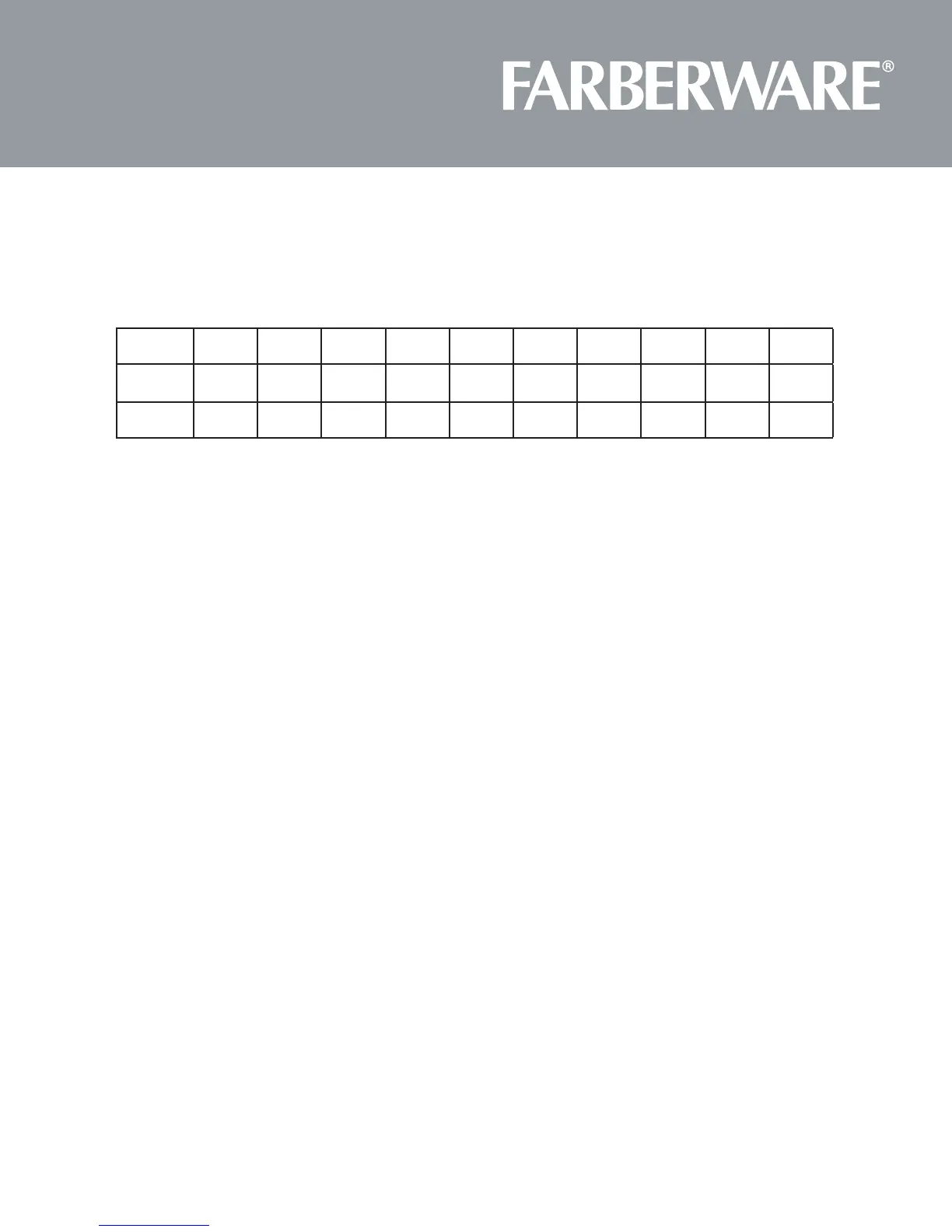
1. POWER LEVEL
10 Power levels are available
2. CLOCK SETTING
(1) Press “Clock", “00:00” will display.
(2) Press the number keys and enter the current me. For example, me is 10:12 now, please press “1,
0, 1, 2” in turn.
(3) Press “Clock“ to nish clock seng. “:” will ash and the clock will be illuminated.
(4) If the numbers input are not within the range of 1:00-12:59, the seng will be invalid unl valid
numbers are input.
Note:
A� In the process of clock seng, if the “STOP/CANCEL“ buon is pressed or if there is no operaon
within 1 minute, the oven will go back to the former seng automacally.
B� If the clock needs to be reset, please repeat step 1 to step 3.
3. KITCHEN TIMER
(1) Press “Timer“ once, the screen will display 00:00.
(2) Press the number keys and enter the mer me. (The maximum cooking me is 99 minutes and 99
seconds.)
(3) Press “START/+30SEC
“
to conrm seng.
(4) When the mer nishes, the buzzer will ring 5 mes, and the screen will display the current me.
Note:
Level
10 9 8 7 6 5 4 3 2 1
Power
100% 90% 80% 70% 60% 50% 40% 30% 20% 10%
Display
PL10 PL9 PL8 PL7 PL6 PL5 PL4 PL3 PL2 PL1
.
A�
B� Kitchen Timer and cooking (including microwave, defrosng, Auto menu) are independent. All cooking
functions can not be set while running the Kitchen Timer,the Kitchen Timer can not be set while running
The kitchen time is differ from 12-hour system, Kitchen Timer is a timer.ent
the cooking functions.







 To Next Page