C.10.1 Operating
On/Off Button
Settings Button
You can start the device by pressing the on/off button (1)
for once after making the necessary device connections.
The device will immediately start with the last
configured settings.
Work display shows two main information columns.
1.
Speed: is shown in (km/h) kilometer/hour unit
2.
Seeded area: is shown in (m
2
) square meter unit.
WARNING: Intermittent “SYSTEM IS IN STANDBY
MODE” warning is shown on the information display
when tractor and grain drill are stationary.
Note: In order to run this device, tractor’s ignition key
must be in parking position and the 12V igniter inlet must
be usable.
C.10.2 Settings
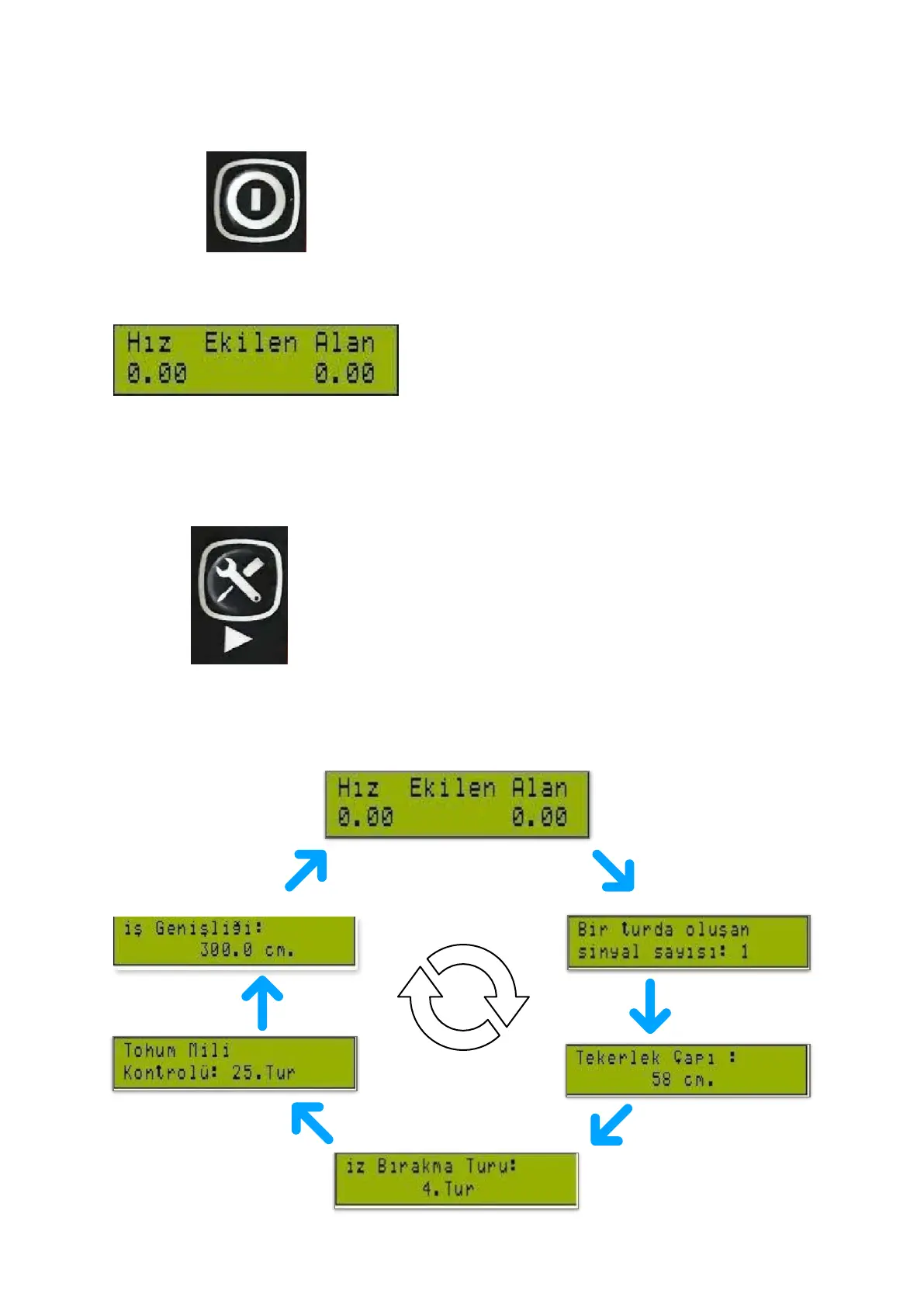
The device settings are adjusted with the settings
button (11) on the control display. Next setting is
displayed each time the button is pressed. The
diagram of the settings menu that is accessed in this
way is given below:



 To Next Page