EasyManua.ls Logo

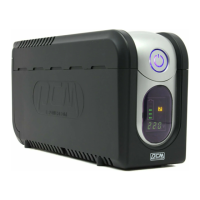
Farnell Imperial Series IMP-425AP - User Manual

Farnell Imperial Series IMP-425AP
18 pages
Print Icon
To Next Page IconTo Next Page
Loading...
S
S
e
e
r
r
v
v
i
i
c
c
e
e
M
M
a
a
n
n
u
u
a
a
l
l
Imperial Series
Model IMP-425/525/625/825/1000AP
IMD-425/525/625/825/1000AP
IMP-1025/1200/1500/2000AP
IMD-1025/1200/1500/2000AP

Questions and Answers

  • G
    George AbbottAug 1, 2025
    Why is the backup time too short on my Farnell Imperial IMP-425AP?
    • S
      srossAug 1, 2025
      A short backup time on your Farnell UPS can occur if the battery isn't fully charged. Recharge the UPS for at least 8 hours. It could also mean the battery is too old, in which case you should replace it. A PCB failure can also cause this problem, so replacing the PCB might be necessary.
  • S
    Susan WeberAug 8, 2025
    Why is my Farnell Imperial IMP-425AP always in battery mode?
    • M
      Michael GarciaAug 8, 2025
      Your Farnell UPS might be operating in battery mode due to a few reasons. The AC fuse may be open, so replace the AC fuse in the inlet or reset the circuit breaker. It could also indicate a PCB failure, requiring a PCB replacement. Alternatively, the transformer might have failed, necessitating its replacement.
  • M
    Michelle WilliamsAug 16, 2025
    How to fix a Farnell UPS that can't turn on and the LED is not lit?
    • G
      Gary ChapmanAug 16, 2025
      If your Farnell UPS isn't turning on and the LED is not lit, it could be due to several reasons. The display board switch might have failed, requiring you to replace the display PCB. Also, if the per battery voltage is less than 9V, recharge the UPS for at least 8 hours or change the battery. A PCB failure could also be the reason, so consider replacing the PCB.
  • M
    Melissa HopkinsAug 25, 2025
    What to do if my Farnell UPS won’t turn on but the LED is lit?
    • J
      Joseph FigueroaAug 25, 2025
      If your Farnell UPS isn't turning on, but the LED is lit, it could be due to a battery failure, so replace the battery. Another potential cause is a PCB failure, which would require replacing the PCB. Finally, the transformer might have failed, and you'll need to replace it.

Summary

Safety Precautions

Service Warnings

Essential safety guidelines and warnings for servicing the UPS unit, highlighting potential hazards.

Important Safety Instructions

Crucial instructions for safe operation, maintenance, battery handling, and component replacement.

SPECIFICATIONS

Battery Replace Procedure

Replacement Procedure for IMP;IMD-425~1000 AP

Step-by-step guide for replacing batteries in IMP/IMD-425 to 1000AP UPS models.

Replacement Procedure for IMP;IMD-1025~2000 AP

Step-by-step guide for replacing batteries in IMP/IMD-1025 to 2000AP UPS models.

Disassembly Procedure

Test & Adjustment Procedure

Charger Voltage Test

Procedure to verify the UPS battery charger's voltage output using a multimeter.

Troubleshooting

Farnell Imperial Series IMP-425AP Specifications

General IconGeneral
Output Power Capacity425VA / 255W
Input Frequency50/60 Hz
Typical Recharge Time6 hours to 90% capacity
Operating Temperature0°C to 40°C
Storage Temperature-15°C to 45°C
Input Voltage220-240VAC
Output Voltage220-240VAC
Output Frequency50/60Hz ±1Hz
Humidity0% to 95% non-condensing

Related product manuals