EasyManua.ls Logo

Fast Weigh Scales TR-600 - User Manual

Default Icon
7 pages
Print Icon
To Next Page IconTo Next Page
Loading...
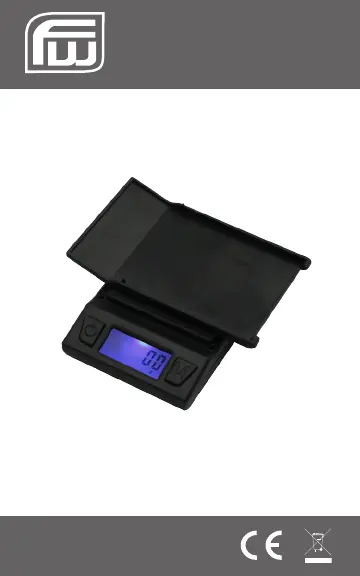
TR-100 (100g x 0.01g)
TR-600 (600g x 0.1g)
User Manual
TR-Series
Copyright © 2010 Fast Weigh Scales
All rights reserved. Rev. 2.0

Questions and Answers

  • J
    Jamie ChambersAug 6, 2025
    What to do if Fast Weigh Scales show HHHHH?
    • N
      Natalie LiAug 6, 2025
      If your Fast Weigh Scales display 'HHHHH', it means the maximum capacity has been exceeded. Remove the extra weight from the scale to prevent damage to the load cell.
  • J
    josephbernardAug 11, 2025
    Why does my Fast Weigh Scales weight fluctuate randomly?
    • J
      Joshua BakerAug 11, 2025
      If the displayed weight on your Fast Weigh Scales fluctuates randomly, ensure that your workspace is stable and free of any air currents or vibration.
  • R
    rosewalterAug 15, 2025
    What to do if Fast Weigh Scales weight is inaccurate?
    • C
      Cynthia MaldonadoAug 16, 2025
      If the displayed weight on your Fast Weigh Scales is inaccurate, perform a calibration adjustment.
  • W
    walkerjenniferAug 21, 2025
    How to fix OUTZ error on Fast Weigh Scales?
    • S
      solissamanthaAug 21, 2025
      If you see 'OUTZ' on your Fast Weigh Scales, it indicates the zero range has shifted. Try performing a calibration adjustment. If the problem continues, the load cell might be permanently damaged due to overloading.
  • M
    Matthew HowardAug 27, 2025
    Why do Fast Weigh Scales show UNST?
    • S
      ssandersAug 27, 2025
      If your Fast Weigh Scales display 'UNST', it means the scale is unstable. Place the scale in a more stable position.
  • J
    Jason MartinezAug 30, 2025
    How to fix Fast Weigh Scales that will not turn on?
    • M
      Mr. Devin BautistaAug 31, 2025
      If your Fast Weigh Scales will not turn on, check the batteries.

Summary

TR-Series Digital Scale User Manual

General Usage and Safety Tips

Provides essential advice for safe and optimal operation, handling, and storage of the digital scale.

Parts, Keys, and Battery Installation

Details the scale's components, describes key functions, and guides battery installation.

Scale Operation and Unit Measurement

Explains how to operate the scale, change units of measure, and use the tare feature for net weight determination.

Calibration and Adjustment Procedures

Guides users through checking and performing calibration and adjustment for scale accuracy.

Troubleshooting and Error Code Resolution

Offers solutions for common scale problems and explains the meaning and resolution of error codes.

Technical Specifications and Capacity Charts

Lists detailed technical specifications and provides capacity and readability charts for TR-100 and TR-600 models.

Fast Weigh Scales TR-600 Specifications

General IconGeneral
Capacity600 g
Readability0.1 g
Auto Shut-offYes
Tare FunctionYes
Hold FunctionYes
Unitsg, oz, dwt, ozt
Power2 x AAA batteries

Related product manuals