Edition 1.0 pg3
1) Packaging
When you open the package you will find the following parts:
- FT600K Outdoor station with or whitout keypad.
- FT600W 7” Color Monitor
- FT600SW Fasttel Network Switch for Wall or Flush Mount.
- Bag with 4 x Torx
- Bag with watertight seal for the Lan + connectors
Instruction manual
Optional to order: see shop.fasttel.com
- FT600BS Desk Stand for the Monitor
- FT600W Monitor supplementary
- FT600PSW Poe adapter for screen on WiFi
- FT600MB FT600W Monitor wall mount 30mm DEEP
- FT600LIC License smartphone supplement
The FT600K Outpost is equipped with a flush-mounted or surface-mounted housing.
Make sure that the housing is mounted level.
2) The installation
2.1) The FT600K Doorphone Entry Outpost..
- First, mount the housing in the right place on/in the wall. Due to the camera present, we advise you to keep to
the outdoor station measured from the ground to the bottom of the Doorphone Entry 1.40 meters.
- Make sure that the UTP cable for the network without connector is in place and also a cable (minimum 2 cores
hard core) for your electric lock.
- First take the waterproof housing out of the packaging and slide the cover over the UTP cable and the cable for
the lock.
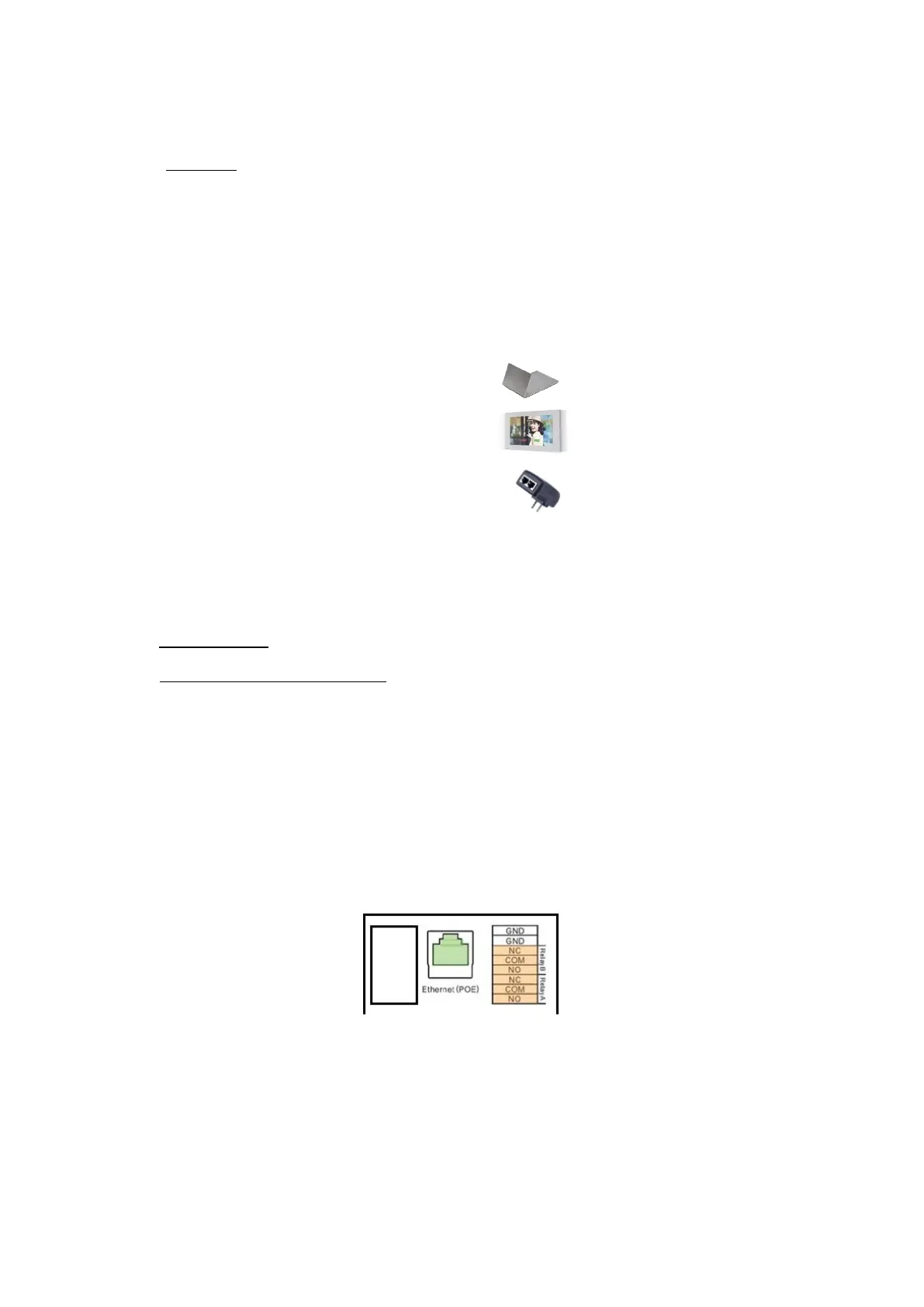
- Mount an RJ45 connector on the UTP cable and insert it into the Doorphone Entry in the socket provided for that
purpose.
- Connect the other cable to relay A or relay B to NO+COM
- Close the cover and use the correct cable grommet to seal the Doorphone Entry watertight. Assemble the whole
with the 6 supplied bolts.
- Now place the outdoor station in the housing and fix it to the housing with the 4 supplied Torx bolts.


 To Next Page
 Loading...



