
 Need help?
Do you have a question about the Fat Shark Scout FSV1132 and is the answer not in the manual?
Compatibility with NTSC/PAL analog transmitters and AV/Aux sources.
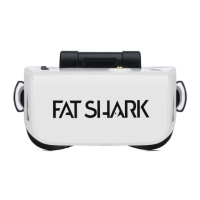
Lists the items included in the Scout headset package.
Diagram and labels for the top view of the headset.
Diagram and labels for the left view of the headset.
Diagram and labels for the right view of the headset.
Describes the headset's powered-off state and how to turn it on.
Explains the default RF input mode and startup display information.
How to access and navigate the headset's settings menu.
How to switch to external video sources like AV or Auxiliary.
Introduction to the built-in 60FPS DVR feature.
Functions of short and long presses of the power button.
Functions of short and long presses for band selection.
Functions of short and long presses for channel selection.
Controls for flight mode, including DVR and display adjustments.
Controls for navigating and selecting options within the menu.
Controls for navigating and playing back DVR recordings.
Details on battery usage, charging, and status indicators.
Safety guidelines for charging and handling LiPo batteries.
Explanation of the On-Screen Display elements and information.
Table showing frequencies for different bands and channels.
How to cycle through bands and channels, including LED indicators.
How to adjust display settings using the 5-way button.
Steps to connect and use external video sources.
Requirement to format SD card with FAT32 for stable recording.
How to start/stop recording and view the recording symbol.
Naming convention and format of recorded .MOV files.
Supported video formats (NTSC, PAL, .MOV).
How to access and navigate DVR playback menus and controls.
DVR recording modes (Manual, Loop, Auto) and SD card formatting.
Access to DVR features like Playback, Record, and Format SD.
Changing input sources (RX, AV, AUX).
Adding/removing available RX bands.
Adjusting OSD elements (Band, Channel, Battery Info).
Configuration of system parameters like Beep, Fan, Auto Power Off, Calibration.
Basic settings like Clock, Volume, Reset, and Firmware Version.
Field of view and type of optics used.
Screen size, resolution, and signal selection.
Audio type (Stereo).
List of configurable user controls.
Power supply, RF modules, and analog DVR specs.
Battery type and capacity.
Available ports (AV, Earphone, MicroSD, USB-C, AUX).
Dimensions and weight of the headset.
Advice on channel selection and interference reduction.
Guidance on range testing and minimizing interference sources.
Tips on practice flying and understanding signal behavior.
Importance of clear line of sight and signal drop-off.
Links and email for support resources.
Information on exchange, repair, and shipping for warranty claims.
 General
| Brand | Fat Shark |
|---|---|
| Model | Scout FSV1132 |
| Category | Drone & Quadcopter Accessories |
| Language | English |

 To Next Page