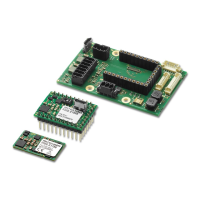
Need help?
Do you have a question about the Faulhaber MCDC2805 series and is the answer not in the manual?
Discusses the wide range of applications for the motion controller due to its features and connectivity.
Details optional accessories like the Multiplexer Board and factory preconfiguring services.
Provides technical specifications including supply voltage, current limits, velocity range, and operating temperatures.
Lists compatible Faulhaber motors and explains the K1155 code for linear Hall sensors.
Specifies the minimum power supply requirement and warns about polarity.
Details the differential analog input and its various applications like velocity control and referencing.
Describes the RS-232 hardware cabling and its direct connection capability to a host PC.
Explains the fault output's characteristics and alternative functions like digital output.
Illustrates two circuit diagrams for setting command velocity using potentiometers.
Outlines purposes of RS-232 port: configuration, data analysis, and online communication.
Specifies default RS-232 settings: 9600 Baud, 1 stop bit, 8 data bits, no parity.
Explains ASCII command structure and provides examples for controlling the motor.
Describes how to save parameters and configurations to EEPROM using the EEPSAV command.
Details available baud rates and the procedure for changing it.
Explains how to define node addresses for controlling multiple motors using the RS-232 Multiplexer Board.
Describes commands to set the motor type and lists available motor types.
Provides a table of optional motor types with their parameters like P-portion and current.
Defines different sources for command velocity: RS-232, analog input voltage, or PWM signal.
Explains how to set command velocity using an analog voltage input.
Details the SP command to set the maximum velocity and its effect.
Explains how to set the minimum velocity using the MV command.
Describes setting the minimum analog voltage for starting the motor and avoiding dead zones.
Explains how to set the direction of armature rotation using analog voltage.
Details how PWM signals at the analog input control command velocity.
Explains how to set command velocity via RS-232 using the V command.
Describes the AC command for setting acceleration and the GAC command to query it.
Explains configuring the Fault Output as a direction of rotation input.
Guides on setting acceleration, maximum velocity, and command positions for sequences.
Explains creating complex motion profiles using various commands like NP and NV.
Mentions optimizing digital filter settings in Positioning Mode, similar to Speed Control Mode.
Details programming the fault pin as a limit switch input using the REFIN command.
Explains how to set the trigger edge and polarity for limit switches using the HP command.
Describes direct programming of homing actions (set position, stop, notify) triggered by limit switches.
Explains the advantages and configuration of programmable homing sequences.
Details the HB command for activating hard blocking at limit switches and HD for direction.
Describes running to the Hall Zero Point and setting the actual position to 0 using GOHIX.
Explains simulating a stepper motor by rotating a programmable angular value per pulse.
Describes using an external encoder to provide the command position value in Gearing Mode.
Details controlling position via an analog voltage, adjustable by potentiometer or other sources.
Explains positioning control using PWM from the analog input.
Describes using an external encoder for precise actual position measurement.
Explains configuring the controller as a voltage regulator where motor voltage is proportional to analog input.
Details programming error display for unacceptable speed deviations using DEV and GDEV commands.
Explains using the 'Delayed Current Error' function to ignore short overload periods.
Describes programming the error output as a digital output for controlling external devices.
Explains processing Hall Sensor pulses and sending them to the fault output.
Lists commands for programming sequences, including PROGSEQ, END, GPROGSEQ, ENPROG, DIPROG.
Details commands like NP, HN, NV for interrupting and controlling running program sequences.
Lists additional commands for program sequences like RETI, DIERI, CALL, RET, A.
Explains the JMP command for direct program sequence control and calling subroutines.
Explains the ERI command for error handling and program continuation after an error.
Discusses the HN command's role in stopping programs until a limit switch is reached.
Explains how Notify commands enable the creation of complex motion profiles.
Explains sine wave commutation benefits: minimized torque variance and quiet operation.
Details the current controller for torque limiting and programmed peak/continuous current values.
Explains using analog input for command current and its effect on current limiting.
Describes the automatic shutdown mechanism for overheating Power MOSFETs.
Explains the motor's reaction to supply voltages falling below 10V.
Details the protection against voltage spikes generated by motor braking.
Details EMC compliance and requirements, including specific standards and conditions.
Describes the multiplexer board for controlling multiple motors from one host.
Lists basic setting commands, their functions, and examples.
Lists commands for controlling motion sequences like initiating motion and setting positions.
Lists commands for setting minimum/maximum velocity and choosing velocity sources.
Lists commands for homing, limit switch detection, and hard blocking functions.
Lists commands to get and set parameters like maximum speed, acceleration, and current limits.
Lists commands for switching between different operating modes like Stepper, Gearing, and Encoder.
Lists commands for configuring error functions, output modes (digital, pulse), and delay settings.
Lists commands for defining, enabling, and disabling program sequences.
Lists commands for requesting status, position, speed, current, temperature, and version.
Provides detailed status information about the controller's operating mode and active functions.
Presents example configurations for Velocity Control and Stepper Motor Mode.
Lists goals and commands for Position Control, including acceleration and controller parameters.
Lists goals and commands for Stepper Motor Mode, including step width and homing sequence.
Explains how to call up different positioning routines and sequences via RS-232.
Details a sequence controlled by a digital input, including homing and motor movement.
Lists commands that restore factory settings and their effects.
 General
| Brand | Faulhaber |
|---|---|
| Model | MCDC2805 series |
| Category | Controller |
| Language | English |

 To Next Page