09
Charging your devices
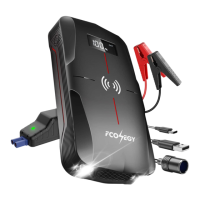
USB/Type-c Output
1. Connect FC500 and your iPhone, smart phones or other electronic devices via USB/Type-c cable.
2. Press the ON/OFF button to turn on the car jump starter.
3. Unplug the cable when no charge is required.
Wireless Charging
10W(Max) wireless charging is compatible with all Qi-enabled devices such as cell phones
Airpods and AirPods Pro etc.
DC Output
The DC output only support 12V device less than 100W.
LED Flashlight
Long press for 3 seconds to turn on the light.
Press shortly to switch modes among Solid, SOS, Alert and Off.


 To Next Page