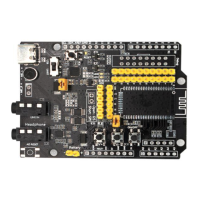
FSC-DB200 User Guide
Shenzhen Feasycom Technology Co.,Ltd www.feasycom.com
Short press to increase the volume/long press to select the next song
Short press to decrease the volume/long press to select the previous song
10 ON/OFF Long press to turn on/off and play music: short press to pause/play.
Incoming call: short press to answer the call, short press again to hang up
extension pin
Arduino board extension pin, default empty
12 Arduino Indicator
light
Arduino status indicator
13 Analog audio
Differential output
Extension pin, empty by default
Module external antenna connection base
Support BT806/1006/1026X/958 etc.
16 Module pin Module pin
17 TRBI200 TRBI200 burner interface, empty by default
18 Module reset button Short press to reset the module
19 Battery charging Charge the battery under short-circuit condition, module upgrade/fixed
*
20 Module power supply Short circuit: Type-C to supply power to the module, disconnection: Type-C to
supply power to the module, or to charge the battery when Type-C has input
voltage and "battery charging/module upgrade pin" is short-circuited
*
21 SPI/I2S Short circuit: SPI, disconnect: I2S to choose according to the function of the
22 Module Indicator
light
The blue light flashes quickly when pairing is in progress, and the light keeps on
means it is connected. The green light is on, SPP/BLE connection is successful
Note: The three combinations marked * can be used to charge the battery, and the maximum current is 200mA.
In general, this function is turned off by default. Not all modules support battery charging.
Shenzhen Feasycom Technology Co.,Ltd.


 To Next Page
 Loading...