Chapter Five: Using FSMS Utilities
FedEx Ship Manager
®
Server User Guide, Version 7.6 165
Label Reprint Utility
FSMS allows the reprinting of labels using either the Label Reprint Utility or the 095 Reprint Label
transaction. The reprint function follows these business rules:
1. You may reprint a label up to a maximum of 48 hours from the ship date, but the calendar day for the
reprint must be no greater than the day after the ship date. For example, you ship a 2-piece FedEx
International package on 12/15/05 at 16:30 (4:30 PM), you have up to 22:59 (11:00 PM) of the entire
next day (12/16/05) to reprint the label.
2. Future Day shipments may be reprinted using the same reprint time frame. You may reprint a Future
Day shipment label until the ship date. Then, you still have up to a maximum of 48 hours from the
ship date/time (up to the next calendar day from the ship date) to reprint the label.
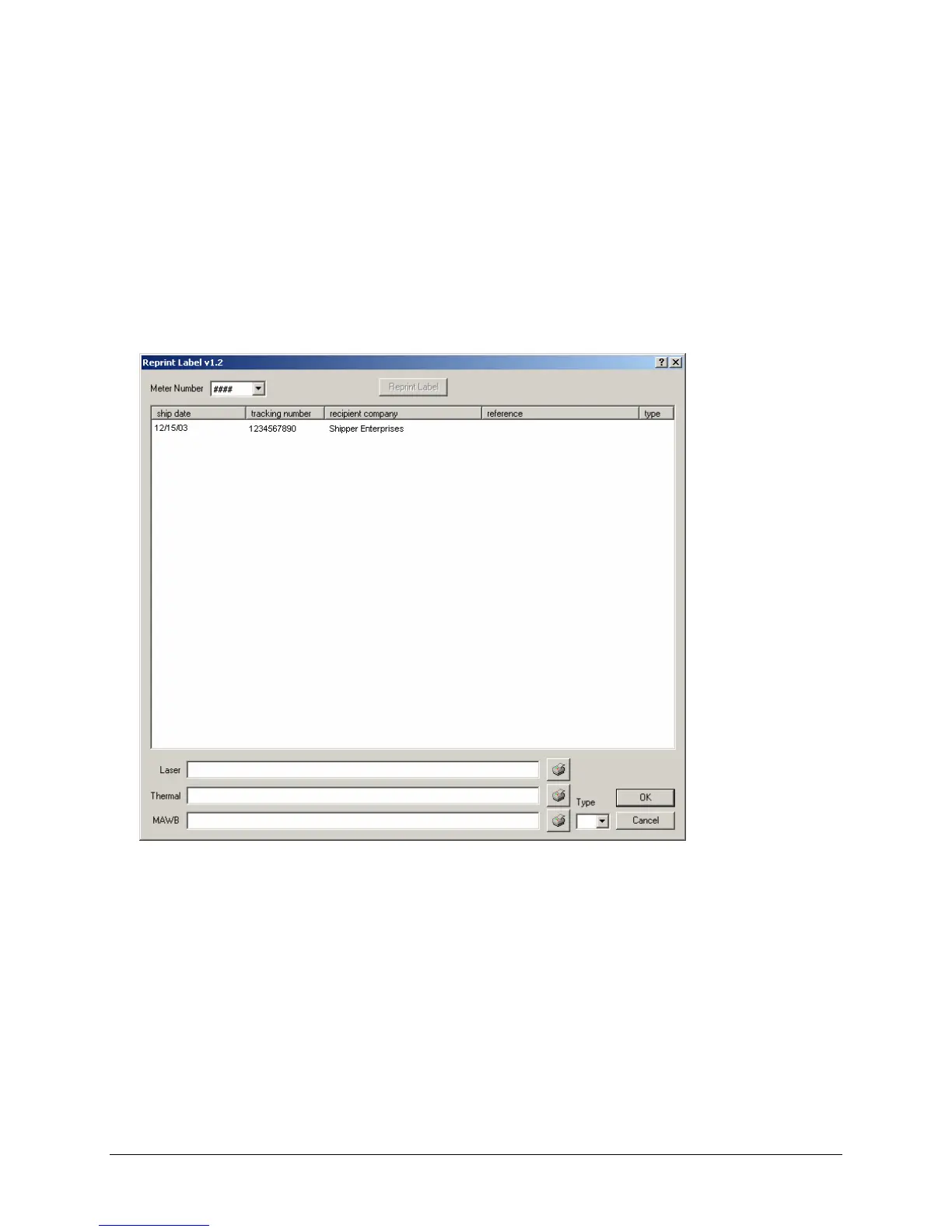
The Label Reprint Utility window displays, by tracking number, all shipments available for label reprint.
To reprint a label:
1. Highlight the tracking number of the shipment you what to reprint by clicking the number in the
Reprint Label window.
2. Select the output source for the label. The following sources are available:
a. Click the printer icon in the Laser field to reprint a plain paper (non-thermal) label.
b. Click the printer icon in the Thermal field to reprint a 4x6 thermal label.
c. To reprint a multi-ply air waybill (on a preprinted FedEx form), click the printer icon in the MAWB
field to designate a pin-feed printer. In the Type field, select the label type by clicking on the pull-
down list.


 To Next Page
 Loading...