Chapter Five: Using FSMS Utilities
FedEx Ship Manager
®
Server User Guide, Version 7.6 173
6. Configuring the Base Rate
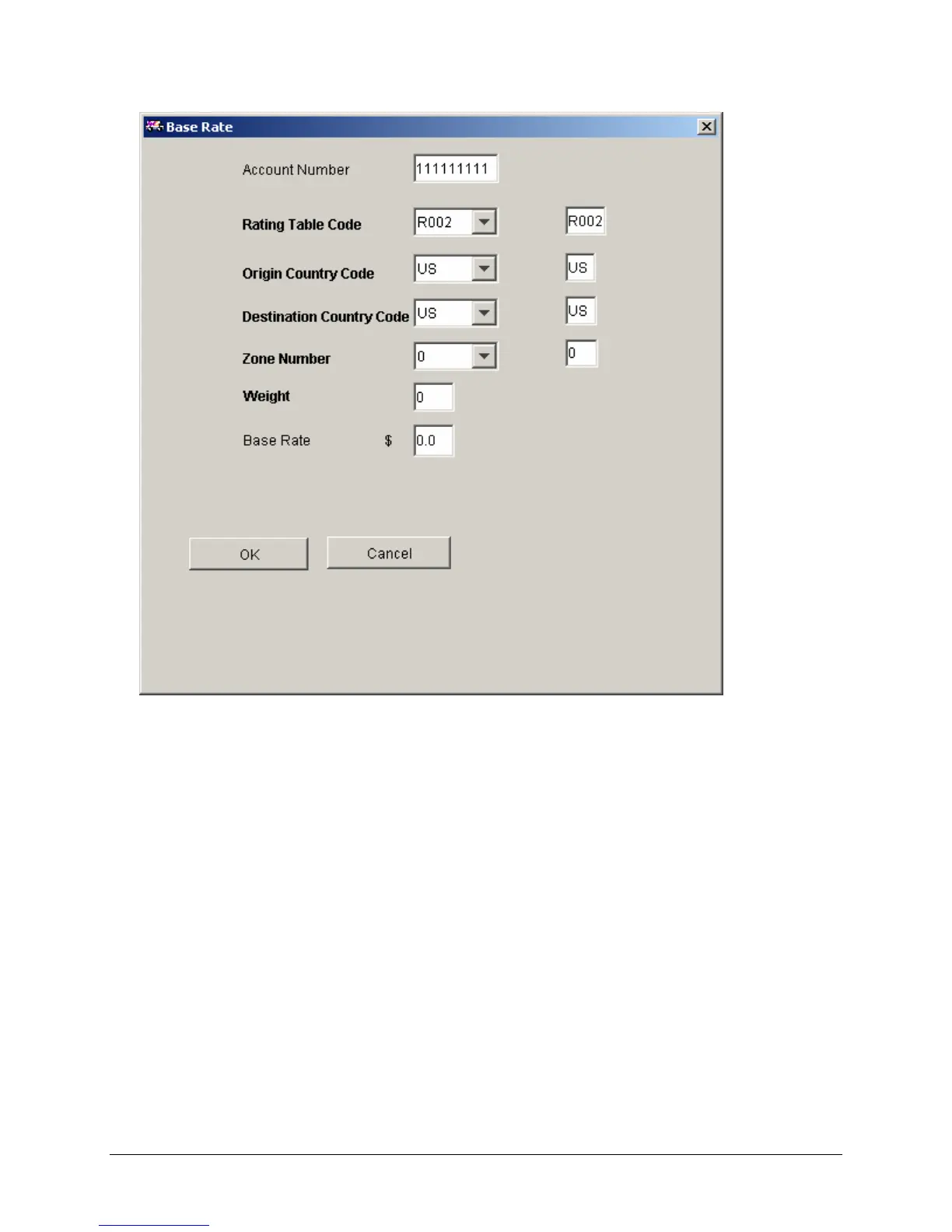
The Base Rate screen is used to enter custom Base Rates that differ from the standard FedEx
Ground rates provided with FSMS. All discounts are applied to the custom Base Rate.
• Account Number – The account number displayed is the account number for which discounts
are configured. This is not an editable field.
• Rating Table Code – This is carried over from the Customer Profile table. Do not change this
value.
• Origin Country Code – The origin country code. This defaults to the country code of the meter
and does not need to be changed.
• Destination Country Code – The destination country code.
• Zone Number – The zone for which the discount applies.
• Weight – Enter the weight for which the custom Base Rate applies.
• Base Rate – The rate to apply to packages of the given weight.
Click OK to accept and exit or Cancel to cancel and exit.


 To Next Page
 Loading...