Chapter One: Setting Up FSMS
22 FedEx Ship Manager
®
Server User Guide, Version 7.6
NOTE:
IIS should be installed ONLY if you need FTP functionality.
Set up your network connection with a static IP address. Instructions for setting up a static IP
address are provided as part of the Microsoft Help option. If you need additional assistance, access
the Microsoft website at www.microsoft.com.
Performing a New FSMS Install
To perform a new FSMS install, follow the steps provided below:
1. Insert the FSMS software CD in your CD drive, and select Run from the Windows Start menu.
2. Click the Browse button on the Run window to locate FSMS. The directory path is:
FXRS0XXX/Install_FXRS0XXX (“XXX” indicates the software version. For example: FXRS0720).
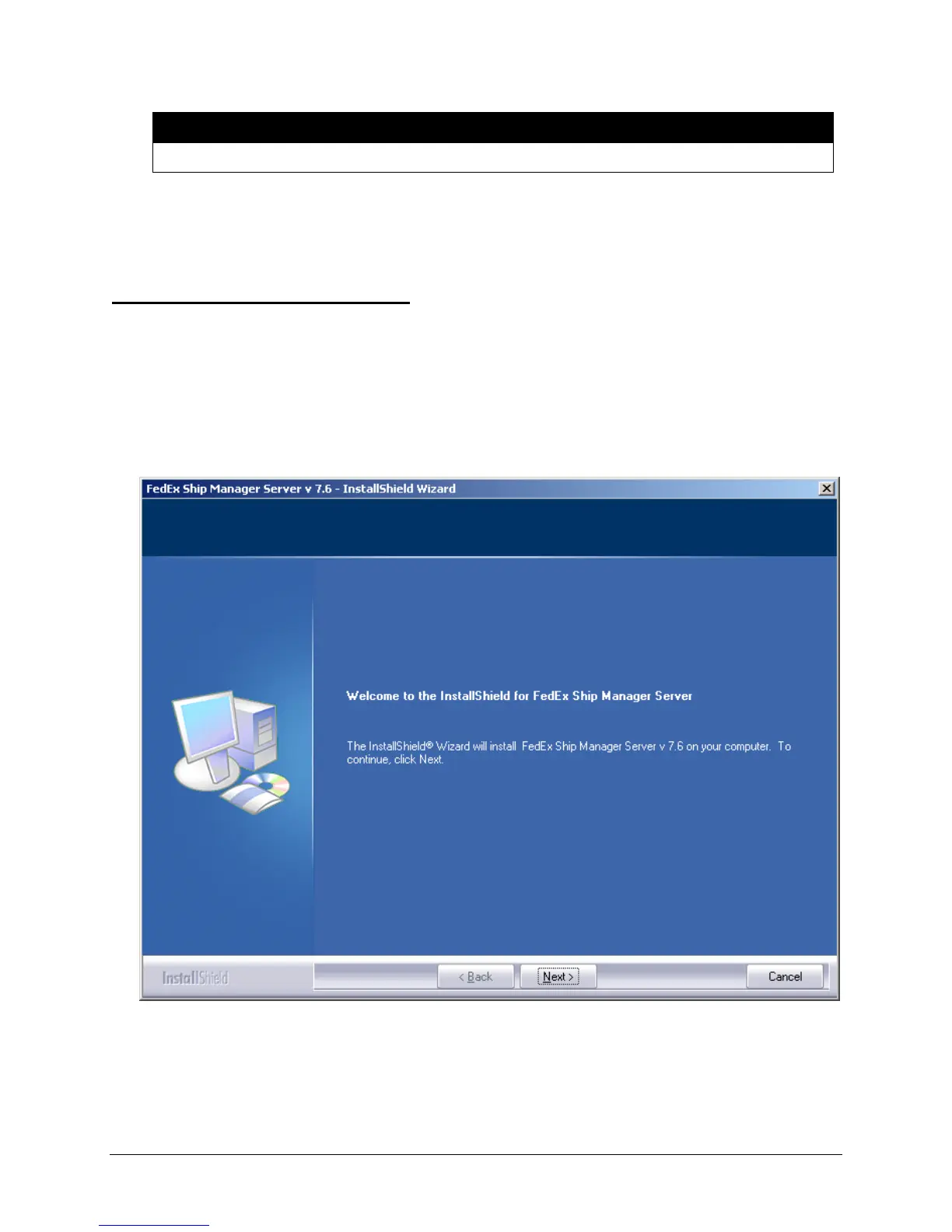
3. Double click the FSMS v 7.6 icon on the Run window to start the FSMS installation program. The
following screen displays:
4. Click Next to start the installation process. Your server will need to be rebooted once at the end of the
installation process.


 To Next Page
 Loading...