Chapter One: Setting Up FSMS
28 FedEx Ship Manager
®
Server User Guide, Version 7.6
12. If you are not required to set a proxy to connect to networks outside your Company’s firewall, click
Next to continue installation.
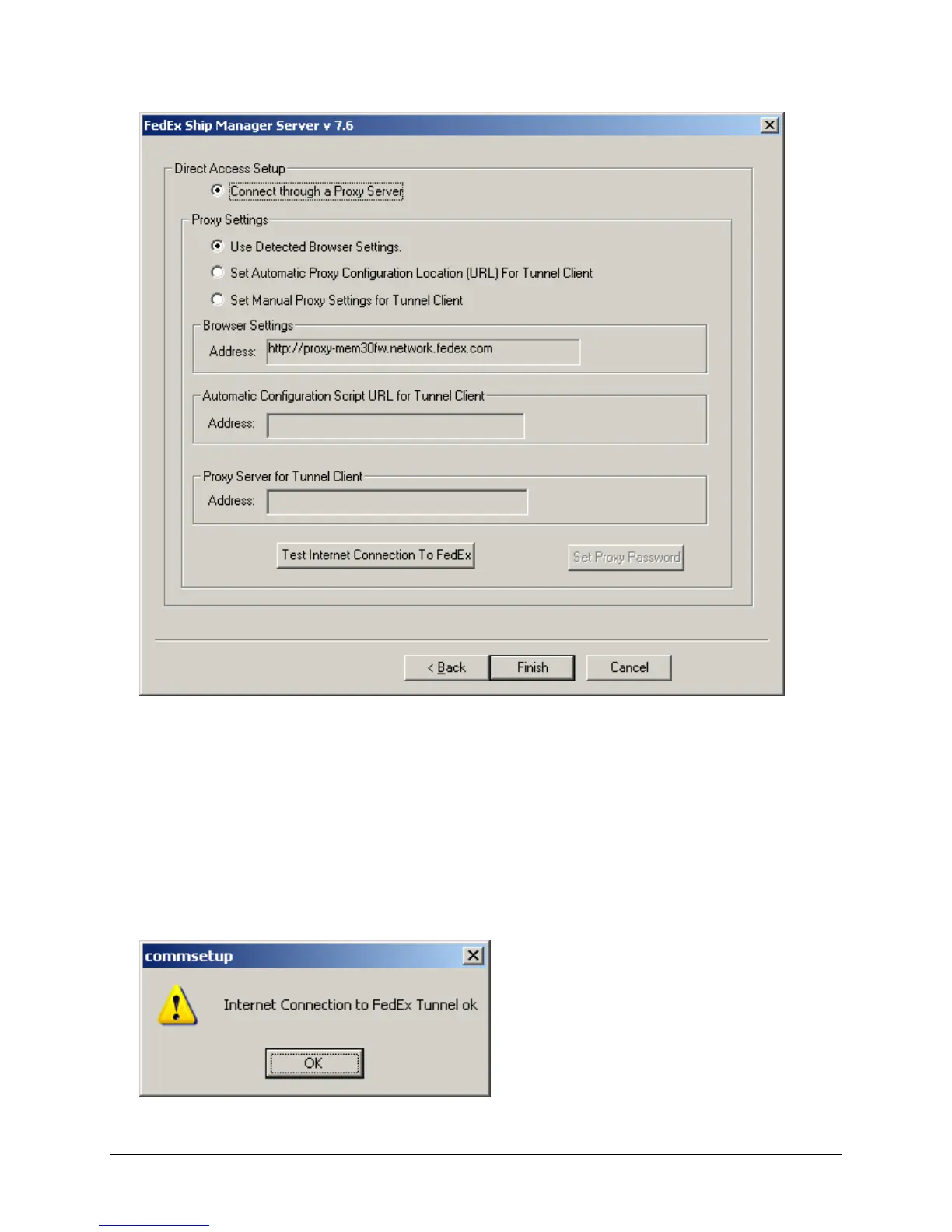
13. If your Company’s network configuration requires that you use a proxy to access networks outside
your firewall:
a. Check Connect through a Proxy Server.
b. Enter the proxy Address for your network.
14. To check the connection to FedEx, click the Test Internet Connection to FedEx button. The
message below indicates successful communications with FedEx.



 To Next Page