Chapter One: Setting Up FSMS
FedEx Ship Manager
®
Server User Guide, Version 7.6 31
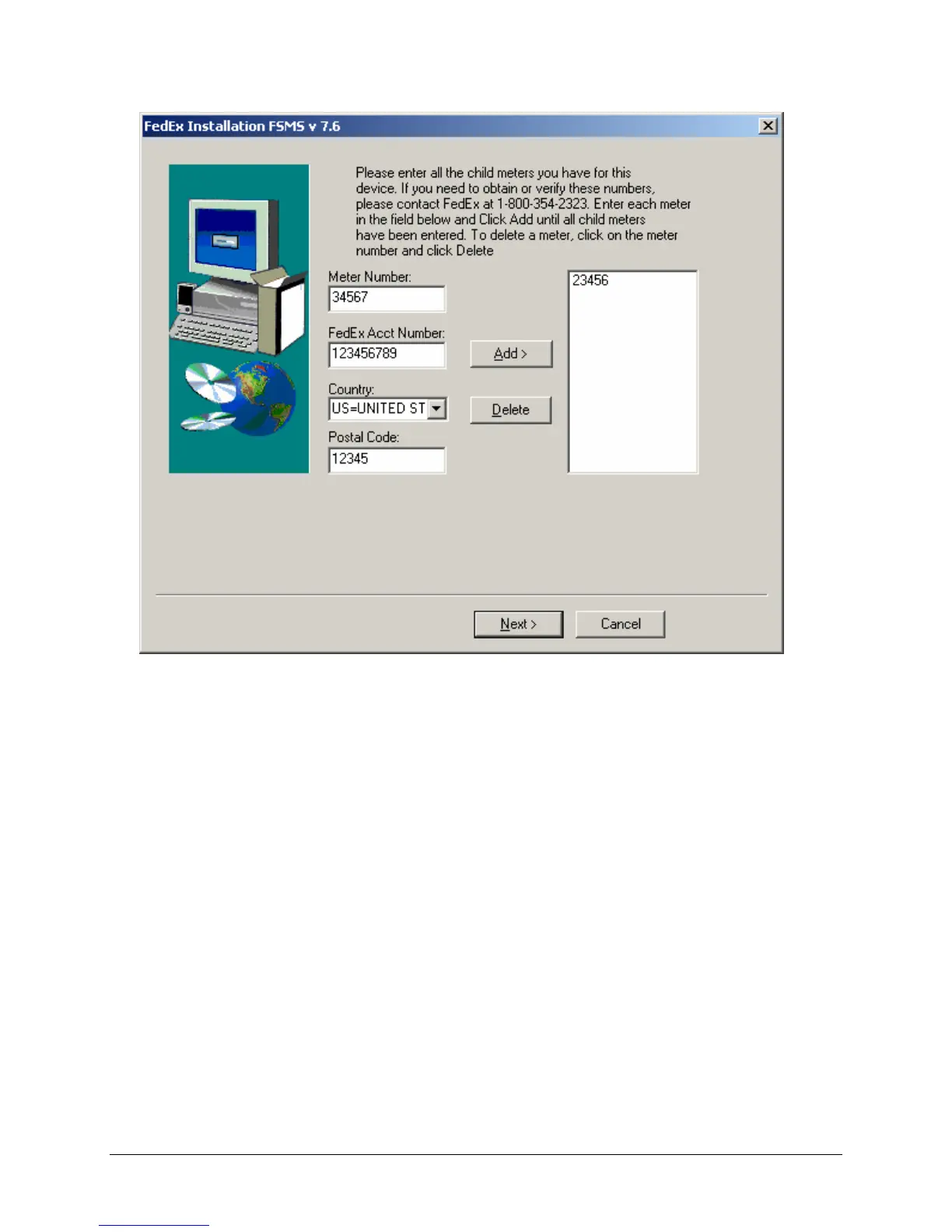
22. If the system has been assigned Child meters:
a. Enter the Child meter number in the Meter Number field.
b. Enter the associated FedEx Account Number for the Child meter. The Child meter and Master
meter are not required to have the same account number.
c. Select the Country location of the Child meter number. The default selection is US.
d. Enter the Postal Code for this meter number.
e. To save the Child meter number, click Add to move your entry to the list on the right side of the
window. If you enter a Child meter number in error, highlight the meter number in the list and
click Delete.
23. When entry is complete, click Next to continue.
24. After your server reboots, FSMS resumes the install process. When the processing is completed, you
are asked to enter your Windows Admin password.


 To Next Page
 Loading...