Chapter One: Setting Up FSMS
40 FedEx Ship Manager
®
Server User Guide, Version 7.6
Adding an Existing Meter to a new installation of FSMS:
NOTE:
This procedure is used to add existing meters to a new installation of FSMS via
communications with FedEx. New meters should be requested using the FSMS Meter
Registration utility accessed from the following desktop icon:
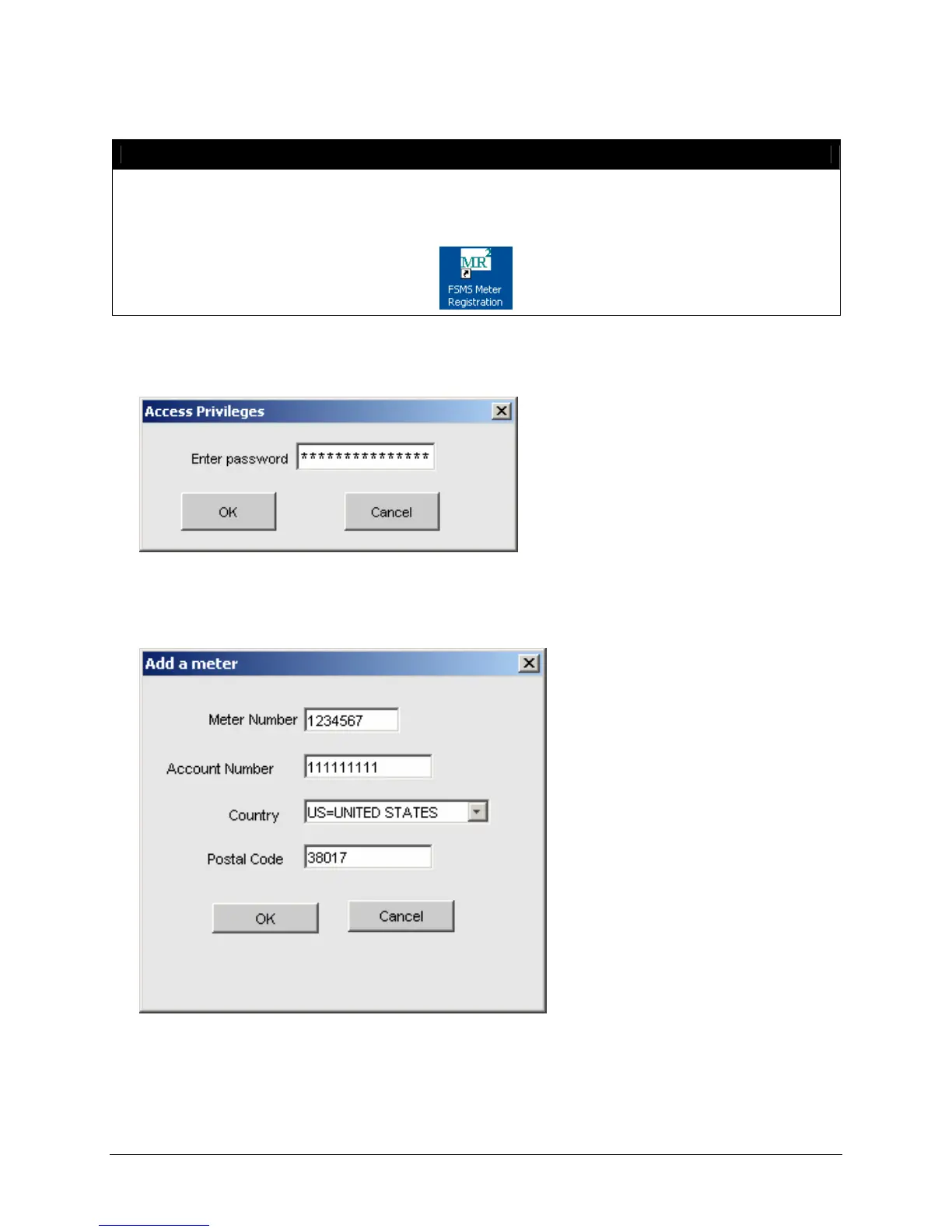
1. Click the Access Privileges button. The Access Privileges password window is displayed:
2. Enter the password provided by your FedEx Customer Support Representative.
3. Click the Add New button. The Add a Meter window is displayed:
4. Enter the Meter Number to be added.
5. Enter the Account Number of the associated meter number.
6. Select the origin Country for the meter number.


 To Next Page
 Loading...