Chapter One: Setting Up FSMS
46 FedEx Ship Manager
®
Server User Guide, Version 7.6
Report Settings
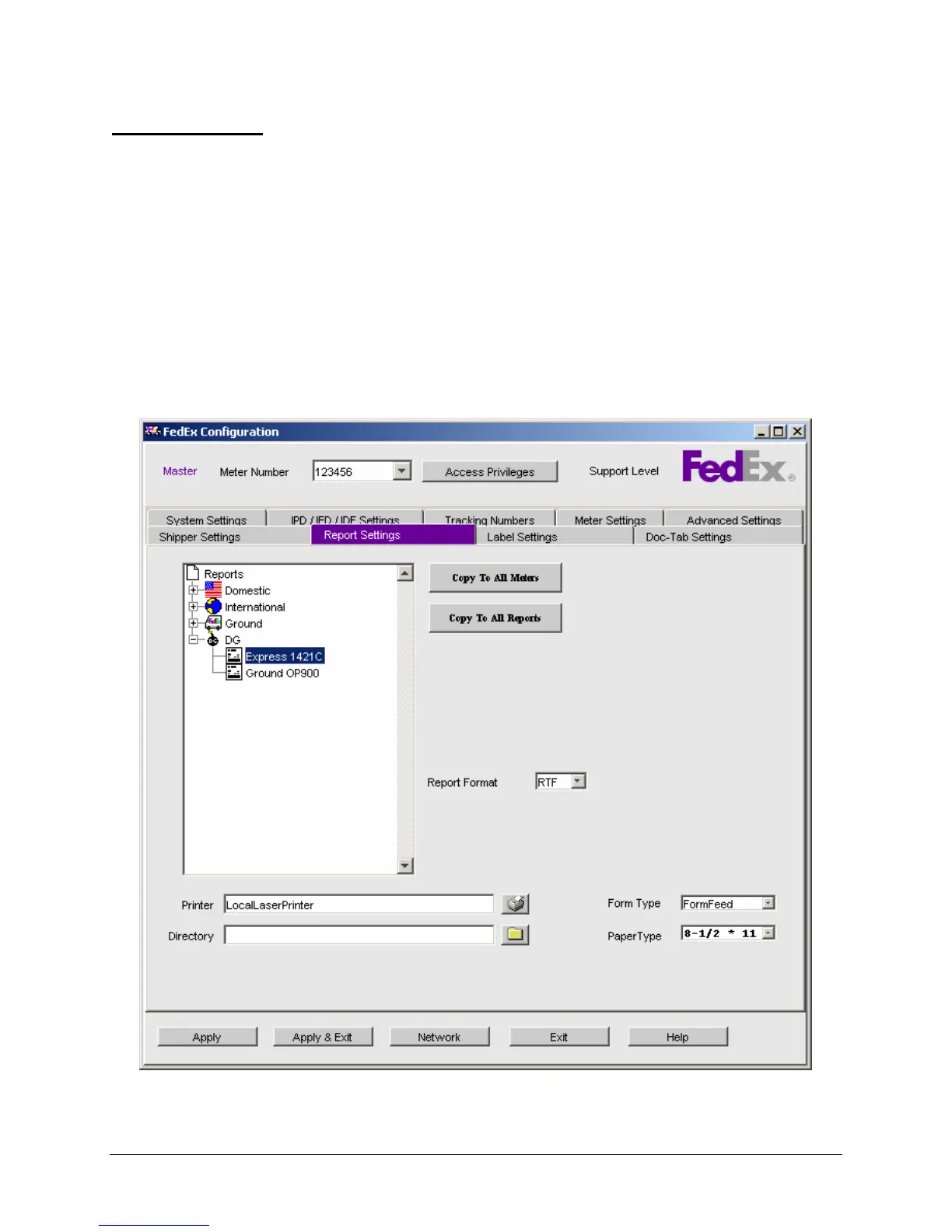
The Report Settings window is used to configure output for FSMS-supported reports.
• Choose the report format: PDF, DOC, RTF, TXT (do not use .txt for Ground or IED/IPD/IDF reports).
• The report format is a system level setting and will apply to all reports on all meters.
• Reports can be sent to a printer OR to a directory, but not both. If a printer and a directory are
configured, the reports will be saved to the specified directory.
• End-of-Day (EOD) reports cannot be printed and can only be saved to a directory.
• Multiple copies are available for selected International reports.
• The FedEx Express Dangerous Goods 1421C can be printed on multi-ply forms or on plain paper. If
printed on plain paper, the form can be printed on 8-1/2x11 or A4 paper.
• All International reports can be printed on 8-1/2x11 or A4 paper.
When you click the Report Settings tab, the following is displayed (ex. U.S. origin, all services enabled):


 To Next Page
 Loading...