Chapter One: Setting Up FSMS
54 FedEx Ship Manager
®
Server User Guide, Version 7.6
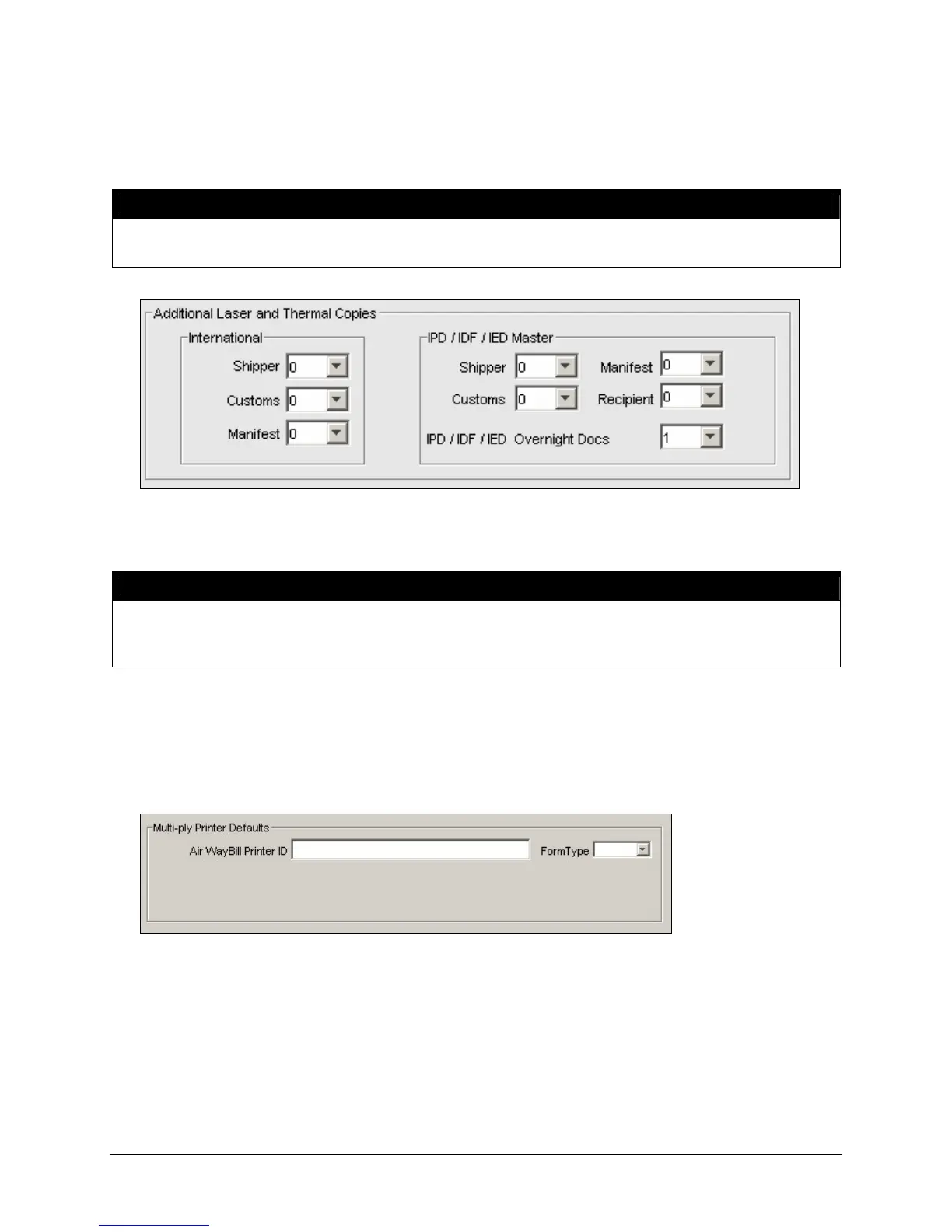
Additional Laser and Thermal Copies
In this section of the Label Settings window, you may select the number of labels to be printed for FedEx
International services.
NOTE:
The IPD/IDF/IED section will only be active if one of the Distribution services is enabled in the
IPD/IDF/IED tab.
If you ship internationally, select the number of labels to be printed for Shipper, Customs, and Manifest.
You may select to print up to 3 copies from the pull-down lists.
NOTE:
IPD (International Priority Direct Distribution) is a contract service offered by FedEx to
customers with specific FedEx International shipping requirements. For more information
regarding IPD, contact your FedEx Customer Support Representative.
Multi-Ply Printer Defaults
In the Multi-ply Printer Defaults section of the Label Settings window, you may select the pin-feed
printer for these forms by clicking the Printer icon and selecting the printer type from the Printer
Selection window.
If you choose to print multi-ply air waybills, you must select the form type associated with this label stock.
Valid form types are:
• 306: Form 306 is an International air waybill with a preprinted tracking number.
• 307: Form 307 is an International air waybill without a preprinted tracking number.
• 362: Form 362 is a French-language International air waybill without a preprinted tracking number.


 To Next Page
 Loading...