Chapter One: Setting Up FSMS
80 FedEx Ship Manager
®
Server User Guide, Version 7.6
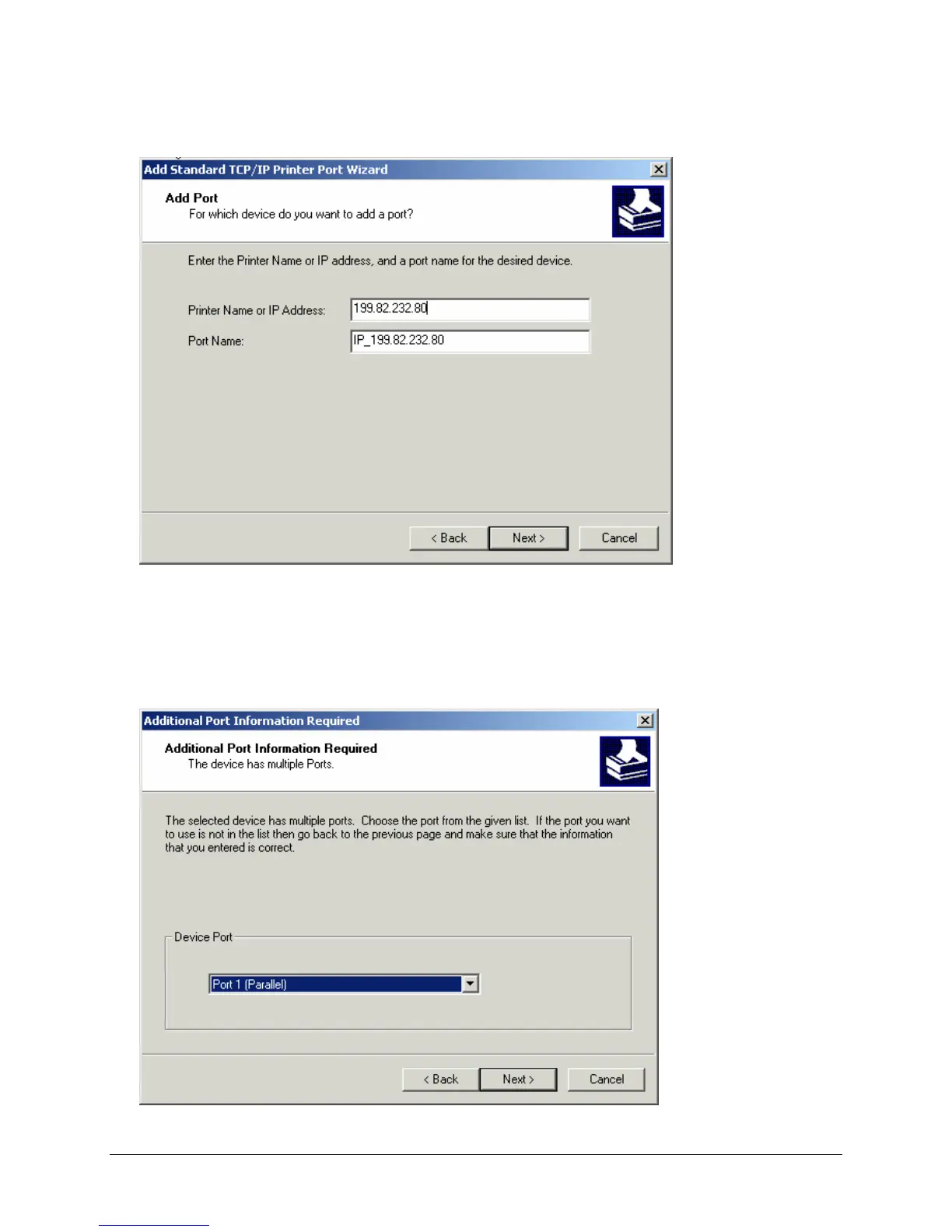
4. Confirm that the printer is turned on and you are connected to a configured network. To continue,
click Next. The Add Port window is displayed:
5. In the Add Port window, enter the name of the printer or the IP address for the printer you are adding
in the Printer Name or IP Address field.
6. Enter the Port Name for the printer port you are adding. The Port Name is the queue name for the
port your printer is connected to on the TCP/IP Print Server. Click Next to continue. The Additional
Port Information Required window is displayed.



 To Next Page