
EasyManua.ls Logo

FeelElec FY6800 Series User Manual

FeelElec FY6800 Series
47 pages
To Next Page IconTo Next Page
Page #1 background imageLoading...
Page #1 background image
FeelElec
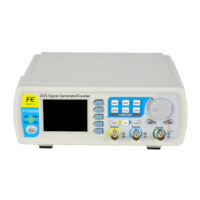
FY6800 Series Fully Numerical Control
Dual Channel Function/Arbitrary Waveform Generator
Users Manual
Rev1.1 April,2018

Questions and Answers:

FeelElec FY6800 Series Specifications

General IconGeneral
Max. Frequency60 MHz
Channels2
Output Impedance50 Ω
Waveform TypesSine, Square, Pulse, Triangle/Ramp, Noise, DC
ModulationAM, FM, PM, FSK
InterfaceUSB

Summary

Main Features

Quick Start

General Inspection

Initial checks upon receiving the FY6800 generator, including container and accessories.

Front Panel Overview

Front Panel Display and Controls

Details the 2.4-inch LCD screen and primary function buttons on the front panel.

Front Panel Output Connectors

Describes BNC connectors for CH1 and CH2 signal output.

CH2 Output and Measurement Terminal

Details CH2 output connector and AC coupling measuring terminal.

Front Panel Navigation and Input

Explains arrow buttons for selection and ADJ knob for value adjustment.

Front Panel Control Buttons

Details channel control buttons (CH1, CH2, OK) and power indicator.

Back Panel Overview

Back Panel Terminals and Ports

Describes BNC, TTL, USB, and SYNC ports on the back panel.

Back Panel Power and Safety

Details the power switch, input socket, and voltage input warnings.

Power On and Inspection

Power Connection and Startup

Procedure for connecting power and turning on the instrument.

User Interface

Front Panel Operations

Select Waveform

Set Frequency

Set Amplitude

Set Offset

Set Duty Cycle (Square)

Set Phase

Enable Output

Example: Output Sine Waveform

Modulation Function

Burst Function

Burst Function: Enable and Configure

Enabling burst output via MOD->Mode->Trigger, setting pulse count and trigger.

Frequency Meter/Counter

Frequency Meter/Counter: Enable and Interface

Activating the counter and understanding its measurement interface.

Set the Counter

Sweep

Sweep Start Position

Sweep End Position

Sweep Time

VCO (Voltage Control Output) Sweep

Sweep Type

Enable Sweep Function

System Configuration

Save and Load

Configuration

Uplink

Uplink: Synchronization Setup

Setting up master/slave configurations for synchronized multi-channel output.

Synchronization

Troubleshooting

Troubleshooting: Issues and Solutions

Addresses screen dark, CH2 locked, and no waveform output problems.

Technical Specification

Technical Specification: Frequency and Waveforms

Details frequency ranges, resolution, accuracy, and supported waveforms.

Technical Specification: Sweep and VCO

Parameters for sweep functions and VCO (Voltage Control Output).

Technical Specification: Modulation

Details for AM, FM, PM, ASK, FSK, PSK modulation types.

Appendix

Appendix: Safety, Warnings, and Warranty

Includes safety notes, injury warnings, and warranty information.