
EasyManua.ls Logo

FeelElec FY8300 Series User Manual

FeelElec FY8300 Series
47 pages
To Next Page IconTo Next Page
Page #1 background imageLoading...
Page #1 background image
FeelElec
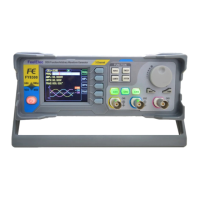
FY8300 Series Fully Numerical Control
Three Channel Function/Arbitrary Waveform
Generator
Users Manual
Rev1.0 May,2019

Questions and Answers:

FeelElec FY8300 Series Specifications

General IconGeneral
BrandFeelElec
ModelFY8300 Series
CategoryPulse Generator
LanguageEnglish

Summary

Product Introduction

Main Features

Quick Start

General Inspection

Steps to inspect the shipping container, instrument, and accessories upon receipt.

Front Panel Overview

Back Panel Overview

USB Device Interface

Interface for PC communication and programming.

Power On and Initial Setup

Powering On the Instrument

Steps to turn on the instrument and initiate self-inspection.

User Interface Details

Three Channels Parameter Display

Description of the default display mode showing three channel parameters.

Frequency Setting Display

Displays and allows adjustment of the current channel's frequency value.

Amplitude Setting Display

Displays and allows adjustment of the current channel's amplitude value.

Front Panel Operations

Waveform Output Configuration

Information on generating various waveforms from the three channels simultaneously.

Output Channel Selection

How to choose and switch between CH1, CH2, and CH3 for output.

Setting Output Frequency

Setting Output Amplitude

Frequency Meter and Counter Functions

Enabling the Counter

How to activate the counter and measurement menu for external signals.

Sweep Function Operation

Sweep Object Selection

Describes the parameters (frequency, amplitude, offset, duty cycle) that can be swept.

Enabling the Sweep Function

Defining Sweep Start and End Values

Defines sweep start/end points and their ranges for different waveforms.

Saving and Loading Waveform Parameters

Multi-Machine Uplink Operation

Troubleshooting Common Failures

Technical Specifications

Frequency Range Details

Specifies frequency ranges for Sine, Square, Ramp, etc. across models.

Appendices and Documentation

Safety Notes

Important safety precautions for instrument use.