5 Scanning Barcode
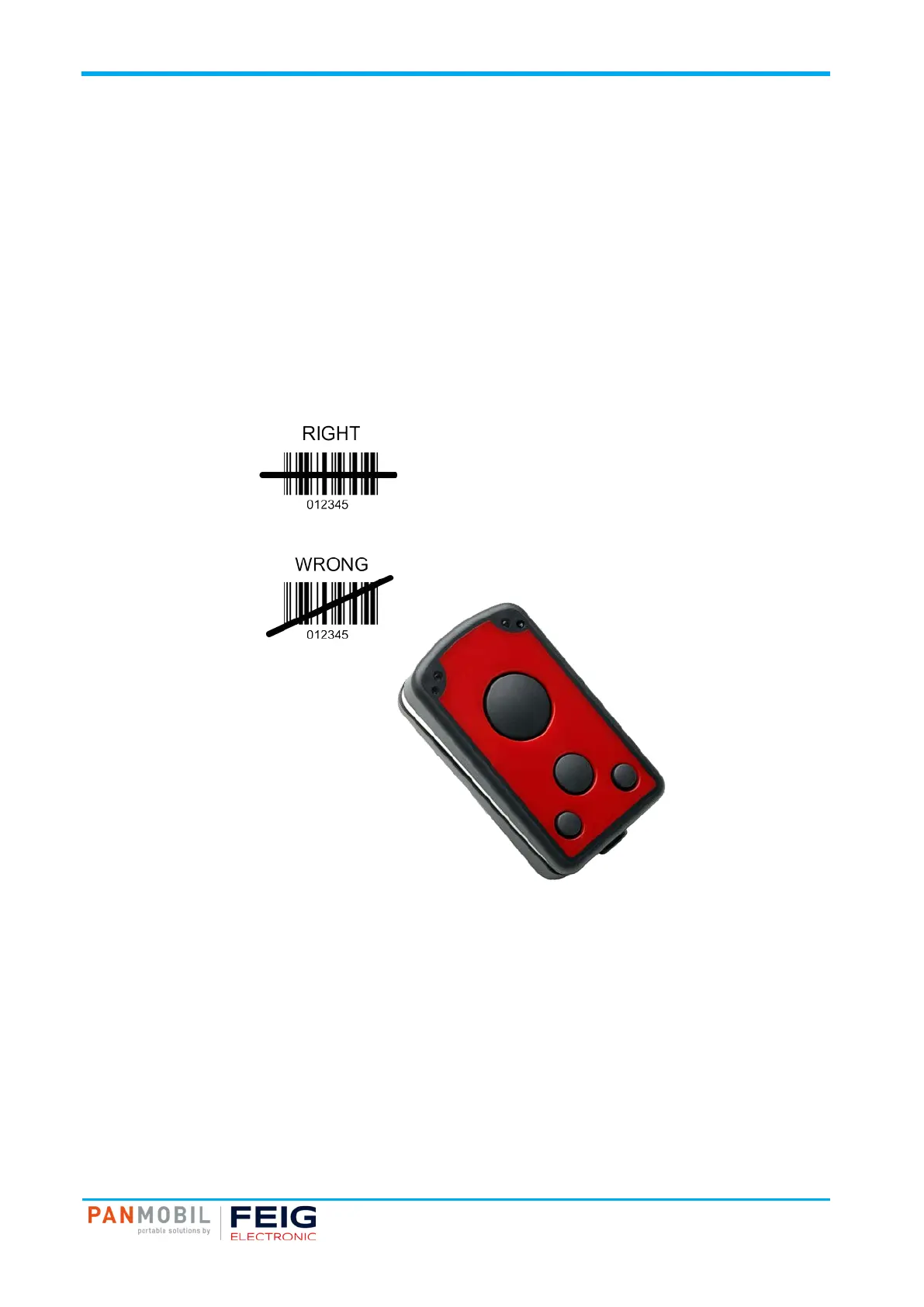
Fig. 2: Barcode Scanner Alignment
Pos: 19 /IDP/M anual s/Über schr iften /1/Sc anni ng Barc ode @ 3\mod_1542017701577_10021.docx @ 55677 @ 1 @ 1
5 Scanning Barcode
Scanning Barcode
Pos: 20 /I DP/ Man ual s/Ü bers chr ift en/2 /1D Las er @ 3 \mod_1542017806783_10021.docx @ 55697 @ 2 @ 1
5.1 1D Laser
Pos: 21 /I DP/ Man ual s/P ANMO BIL/Sc anning Barc ode (1D L aser ) @ 3\mod_1542018707813_10021.docx @ 55916 @ @ 1
To scan a barcode follow the steps below:
1. Aim the scanner on the barcode.
2. Press the trigger key (5).
3. Ensure that the scanning line is directed straight on the barcode.
4. The ID PM ECCO+ beeps and the yellow LED (2) lights up to indicate a successful decode.
Pos: 22 /S te uer modul e/------------ Seit enu mbruc h ------------ @ 0\mod_1452083281983_0.docx @ 10032 @ @ 1



 To Next Page