
EasyManua.ls Logo

Feit Electric CAM/DOOR/WIFI - User Manual

Feit Electric CAM/DOOR/WIFI
8 pages
Print Icon
To Next Page IconTo Next Page
Loading...
Model: CAM/DOOR/WIFI
IMPORTANT SAFETY INSTRUCTIONS
AND INSTALLATION GUIDE
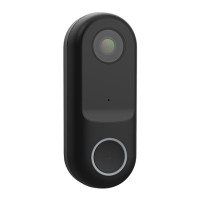
SMART VIDEO DOORBELL
Thank you for your purchase. Questions, comments
or feedback? We’d love to hear from you.
Visit feit.com/help for support.
Feit Electric app
Works with
Only supports
2.4GHz Wi-Fi
Networks
READ BEFORE INSTALLATION.
SAVE THESE INSTRUCTIONS.
Questions, problems, missing parts? Before returning to the store,
contact Feit Electric Customer Service
8 a.m. - 5 p.m., PST, Monday - Friday
FEIT.COM
We appreciate the trust and confidence you have placed in Feit Electric through the purchase of this product. We strive to
continually create quality products designed to enhance your home. Visit us online to see our full line of products available for your
home improvement needs. Thank you for choosing Feit Electric.
REV019

Questions and Answers

  • G
    Greg TurnerAug 6, 2025
    What to do if Feit Electric Intercom System doorbell is offline?
    • P
      Paul WilliamsAug 6, 2025
      If your Feit Electric Intercom System doorbell is offline, it could be due to a few reasons. First, there might be a temporary issue with your internet connection; try again in a few minutes. Ensure your Wi-Fi router is turned on and that the doorbell is receiving adequate power by checking the wall switch and breaker. The doorbell may also have lost its connection to your Wi-Fi network. To reconnect it, press and hold the Reset Button until you see a blinking red LED and hear a tone. Also, ensure the doorbell has a good Wi-Fi signal by checking the signal strength with your phone, aiming for at least two bars.
  • B
    Barbara ShawAug 11, 2025
    How to fix Feit Electric Intercom System doorbell will not connect?
    • J
      Jennifer PierceAug 11, 2025
      If your Feit Electric Intercom System doorbell won't connect, start by ensuring the LED is blinking red; if not, press and hold the Reset Button located at the bottom of the doorbell. Confirm that your Wi-Fi network is a 2.4GHz network, as the device will not connect to a 5GHz network. Test your Wi-Fi network with other devices to ensure it's operating properly. Make sure the Wi-Fi connection is within range during pairing, with at least 2 signal bars showing for proper connection. Finally, verify that you're entering your Wi-Fi network password correctly, as it is case-sensitive.
  • K
    katherinefieldsAug 18, 2025
    Why is Feit Electric Intercom System live video stream slow to load?
    • J
      joseph64Aug 18, 2025
      A slow-loading live video stream on your Feit Electric Intercom System can stem from several factors. Your phone's cellular connection might be weak, as it relies on mobile coverage. Limited internet bandwidth at home can also cause this issue; for instance, other video streaming services running simultaneously can congest your network, slowing down internet speeds. Additionally, unstable Wi-Fi reception or a Wi-Fi signal strength of fewer than 2 bars at the doorbell can be the culprit. To improve this, consider installing a Wi-Fi repeater or extender to boost the Wi-Fi signal.
  • M
    Margaret WilsonAug 25, 2025
    What to do if Feit Electric CAM/DOOR/WIFI Intercom System doorbell is not recording?
    • T
      Travis HooperAug 25, 2025
      If your Feit Electric Intercom System doorbell isn't recording, first ensure you've added an optional microSD card. Then, check that the Record Button is turned On in the app under SD Card Settings, located in the upper right corner of the control panel. Also, confirm that the microSD card is correctly installed by going to the SD Card Settings in the Settings menu to verify that the microSD Card Capacity menu shows Total Capacity, Used, and Free Space. If this information doesn't appear, consider reformatting the microSD card.
  • E
    Edward WilsonAug 30, 2025
    Can I use new microSD card if I do not want to record over existing videos on Feit Electric CAM/DOOR/WIFI Intercom System?
    • T
      Taylor SmithAug 30, 2025
      Yes, you can use a new microSD card if you do not want to record over existing videos on your Feit Electric Intercom System. Remove the doorbell from the mounting plate and replace the existing microSD card with a new one (up to 128GB). After replacing it, format the new microSD card by navigating to the SD Card Settings in the Settings menu, then press 'Format SD Card' and confirm.

Summary

Important Safety Instructions and Installation Guide

Read Before Installation. Save These Instructions.

Critical pre-installation instructions to read and save.

Safety Information

Important Safeguards

Essential safety precautions when using electrical products.

Please Read Before Installing

A directive to review all instructions before installation.

Pre-Assembly

Tools Required to Mount the Doorbell

List of tools needed for installing the doorbell.

Hardware Included

List of all hardware components provided with the product.

Description

Mounting & Installation

Shut Off the Power

Turn off electrical power at the breaker before starting installation.

Installing the Mounting Plate

Instructions for attaching the mounting plate to the wall.

Installing the Smart Video Doorbell

Connecting wires and mounting the doorbell unit.

Power Kit Installation

Turn Off Power

Ensure power is off at the circuit breaker before proceeding.

Locate Existing Mechanical Chime

Identify the location of the existing mechanical chime.

Install Power Kit

Connect the power kit wires to the chime terminals.

Replace The Cover

Secure the power kit and reassemble the chime cover.

App Setup

Download and install the Feit Electric app

Get the necessary mobile application from app stores.

Set up the smart video doorbell using the Feit Electric app

Pairing the doorbell with your Wi-Fi and the app.

Troubleshooting

Feit Electric CAM/DOOR/WIFI Specifications

General IconGeneral
BrandFeit Electric
ModelCAM/DOOR/WIFI
CategoryIntercom System
LanguageEnglish