FAQ • VIMBLE 2A
6) How do I establish a Wi-Fi connection between the camera and the gimbal?
(Continued)
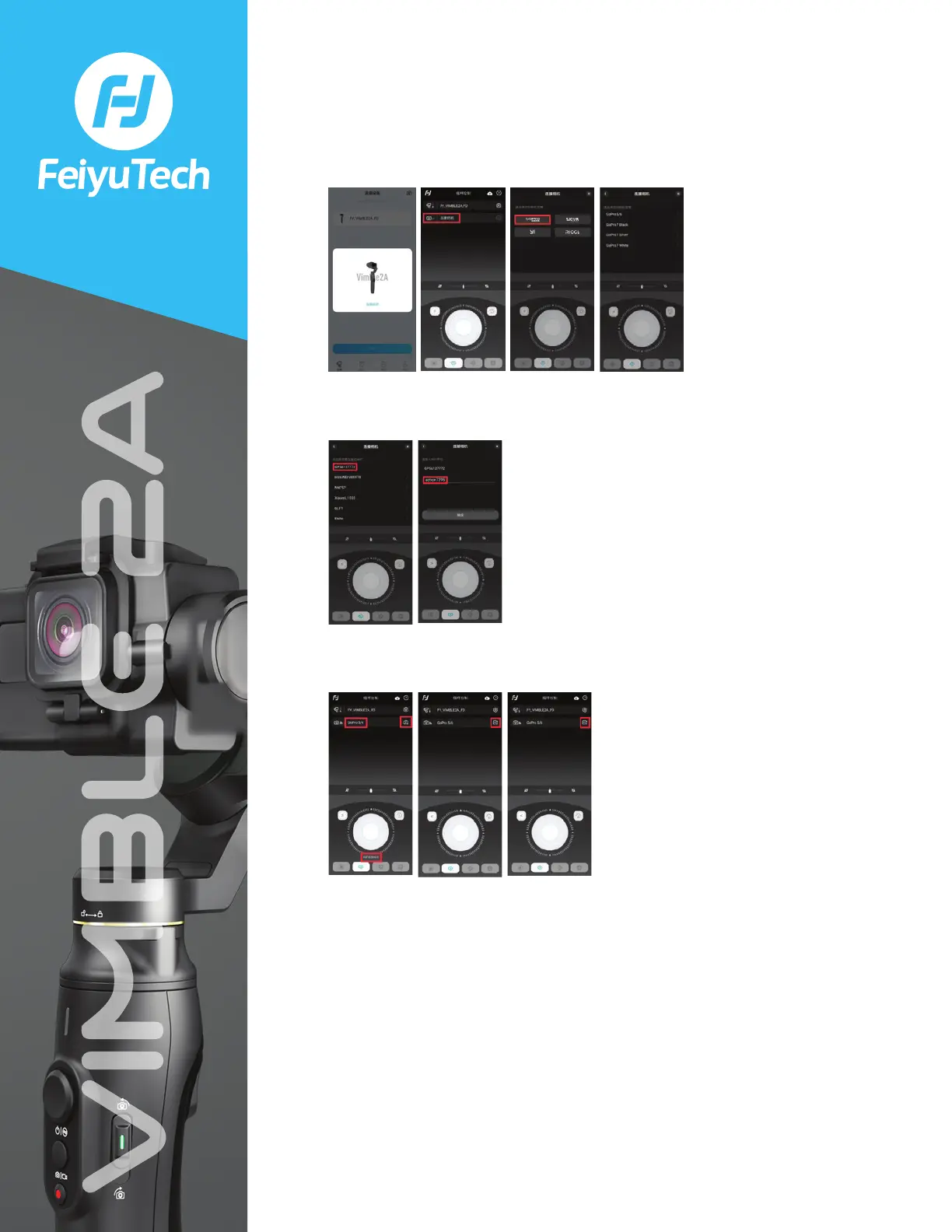
3 Connect the gimbal with the Feiyu ON app. Select the correct camera model.
4 Search the SSID and input the password of the camera Wi-Fi (hotspot) and
click “OK”.
5 After connecting successfully, the App will show the camera model and
camera mode. (Click the setting button to switch to another mode)
7) Do I have to manually connect the gimbal to the camera every time I use it?
No, you don’t. After the first connection, both devices will automatically
connect to each other in the future.
Two premises:
• The Wi-Fi password hasn’t been changed;
• The Wi-Fi settings on the gimbal haven’t been reset.



 To Next Page