
 Need help?
Do you have a question about the FEIYUTECH G6 and is the answer not in the manual?
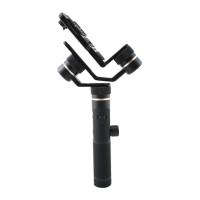
Identifies and labels the various parts and axes of the G6 gimbal.
Lists the accessories included in the package, such as cables and battery.
Instructions for installing the 26650 rechargeable battery into the gimbal.
Steps for mounting cameras like GoPro HERO5 onto the gimbal's mounting plate.
Procedure for mounting an RXO camera using an optional adapter kit.
Adjust the gimbal's cross arm to ensure the camera remains horizontal.
Procedure for turning the gimbal on and off using the function button.
Details on charging the gimbal using a Micro USB cable or removing the battery.
Instructions for charging the connected camera via a Type-C cable.
Details on single, double, triple, quadruple, and fifth taps of the function button.
Explanation of press and hold, and double tap actions for the trigger button.
How to use long press and single tap on the setting button for various functions.
Interpreting display icons, modes, and statuses of the gimbal.
How setting and shutter buttons control camera modes and shooting.
Navigating and adjusting parameters like FOV, resolution, and frame rate.
Understanding Panning, Follow, and Lock modes of the gimbal.
Adjusting the horizon angle using the horizontal adjustment button.
Manually positioning the camera and saving new tilt/pan positions.
Setting up and executing auto-rotation movements with start/end positions.
Instructions for downloading and installing the Feiyu ON app on iOS and Android.
Step-by-step guide to connect your smartphone to the gimbal via Bluetooth.
Functions enabled on the gimbal after successfully connecting to a camera.
Guide to connect the gimbal to your sports camera via WiFi and the app.
Instructions on how to upgrade the gimbal's firmware using the Feiyu ON App.
Conditions that require gimbal initialization for optimal performance.
Step-by-step guide to initialize the gimbal by tapping the function button.
 General
| Type | Hand camera stabilizer |
|---|---|
| Material | - |
| Mounting | 1/4\ |
| Rotating | Yes |
| Product color | Black |
| Tilt angle range | 0 - 360 ° |
| Angle of rotation | 320 ° |
| Panning increments | 3 - 150 °/sec |
| Tilting increments | 2 - 75 °/sec |
| Maximum weight capacity | 130 kg |
| Operating time | 12 h |
| Battery voltage | 3.7 V |
| Battery capacity | 5000 mAh |
 Weight and Dimensions
| Depth | 38 mm |
|---|---|
| Width | 119 mm |
| Height | 271 mm |
| Weight | 336 g |













 To Next Page
