
 Need help?
Do you have a question about the FEIYUTECH G6 Plus and is the answer not in the manual?
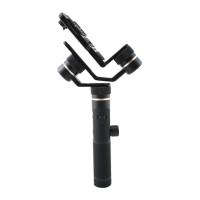
Details the various interface components and screws used for mounting and adjustment.
Explains the functions of the display screen and the various buttons on the gimbal.
Describes the purpose and operation of the gimbal's axes and control knobs.
Outlines the function of other important physical components of the gimbal.
Step-by-step instructions for inserting the battery into the gimbal.
Guidance on how to charge the gimbal's battery using a micro USB cable.
Instructions for securely attaching a camera or smartphone to the gimbal.
Procedure for balancing the gimbal along the pan axis for stability.
Procedure for balancing the gimbal along the roll axis for stability.
Procedure for balancing the gimbal along the tilt axis for stability.
Explains the different operating modes and the gimbal's display icons and status.
How to use the joystick for camera movement and menu selection.
Details the various functions assigned to the function button via taps and presses.
Instructions on using the shutter button for photo and video capture.
Guides on using the setting button to switch camera modes and parameters.
How to control the horizon angle using the dedicated adjustment button.
Explains the functions of the trigger button, such as lock mode and reset.
Guides on using the multifunction knob for zoom, follow focus, and axis control.
How to manually position and lock the gimbal's axes.
Setting up and using the auto-rotation mode for smooth movements.
Steps to connect the gimbal to compatible cameras via the Feiyu ON App.
Instructions for upgrading the gimbal's firmware using the Feiyu ON App.
Procedure for initializing the gimbal to reset its sensors and motors.
 General
| Model | G6 Plus |
|---|---|
| Brand | FEIYUTECH |
| Category | Camera Accessories |
| Compatible Devices | Smartphones, Action Cameras, Mirrorless Cameras |
| Max Payload | 800 g |
| Battery Capacity | 5000 mAh |
| Battery Life | 12 hours |
| Charging Time | 3 hours |
| Bluetooth | Yes |
| Wi-Fi | Yes |
| Splash-proof | Yes |
| Charging Port | USB-C |
| Type | 3-Axis Gimbal Stabilizer |
| Roll Range | 320° |
| Pan Range | 360° |
| Control Interface | Joystick, Buttons |
| Follow Modes | Pan Follow, Lock Mode, All Follow |
| App Support | Feiyu ON |













 To Next Page
