Please refer to the chapter
"Connecting to camera" in
page 13
Display icon Mode / Status
HF
AF
Panning Mode
Follow Mode
Lock Mode
LK
SET WIFI VIA APP
Prompt for users to open the App
settings in order to connect via WiFi
Bluetooth is connected
Bluetooth is not connected
Display icon Mode / Status
Camera photo shooting
Camera video shooting
WiFi is connected
WiFi is not connected
Battery Level
Camera is not
connected
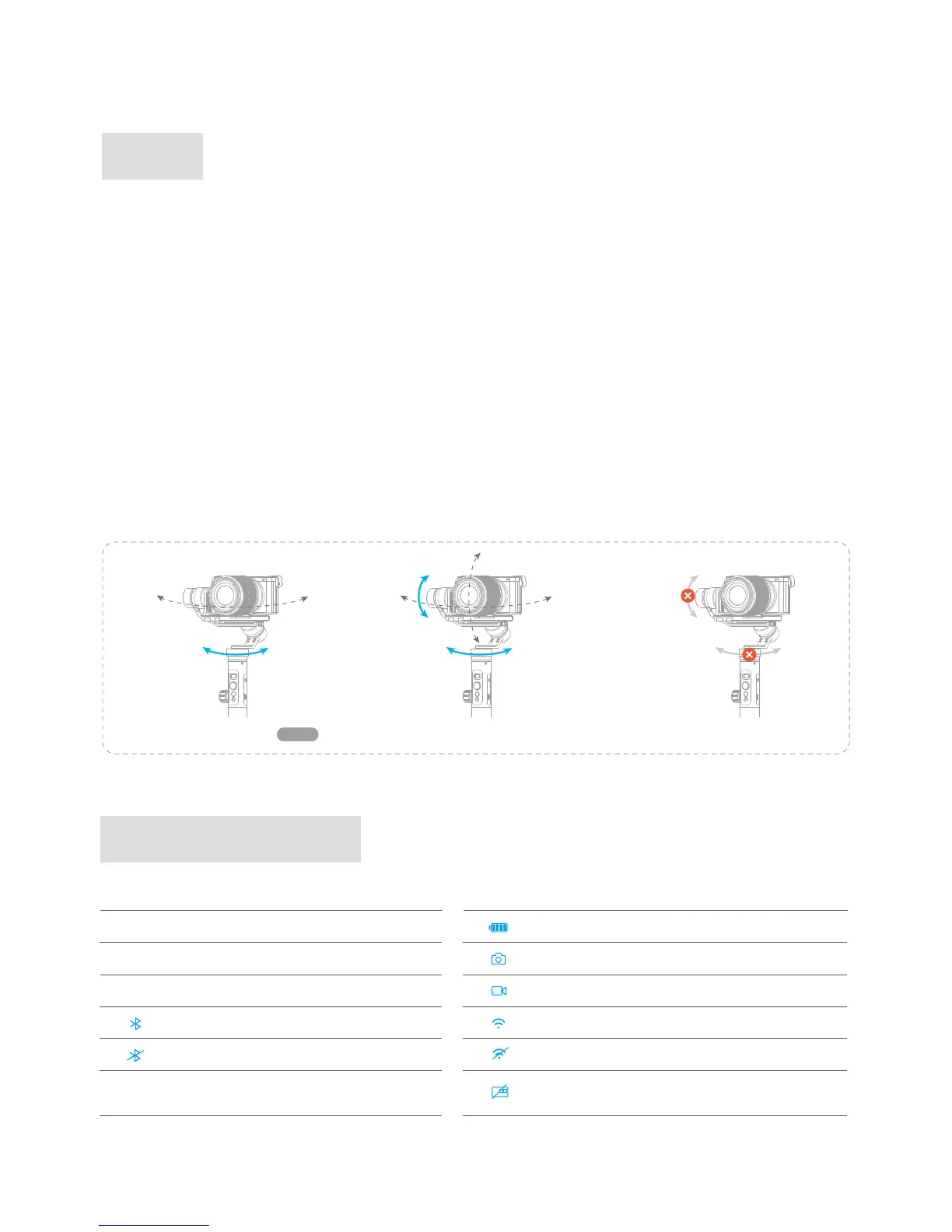
The roll and tilt direction are fixed, and the camera moves according to the left-right movements of the
user's hand.
The orientation of the camera is fixed.
The roll direction is fixed, and the camera moves according to the left-right movements, up-down
movements of the user's hand.
Return to panning mode, three axises return to default position.
Panning Mode(Default mode)
Panning Mode
Default
Follow Mode
Follow Mode
Reset
Lock Mode
Lock Mode
Modes
Introduction of Display
4. Basic Operation














 To Next Page