www.feiyu-tech.comwww.feiyu-tech.com
Auto-rotation Mode
Set rotation speed in Feiyu ON App
The WG2X gimbal can easily create constant speed movements in the auto-rotation mode.
This mode can be used for recording both regular video and motion time-lapse photography.
For better performance, please equip with FeiyuTech tripod or other tripod.
Connect to the Feiyu ON App and select speed from the auto-rotation mode rate option in the settings menu.
WG2X Rotation Speed
18s/ round
12s/ round
24s/ round
30s/ round
1
min/ round
2
min/ round
15min/ round
8
min/ round
4
min/ round
4h/ round
1h/ round
(Default)
8h/ round
30
min/ round
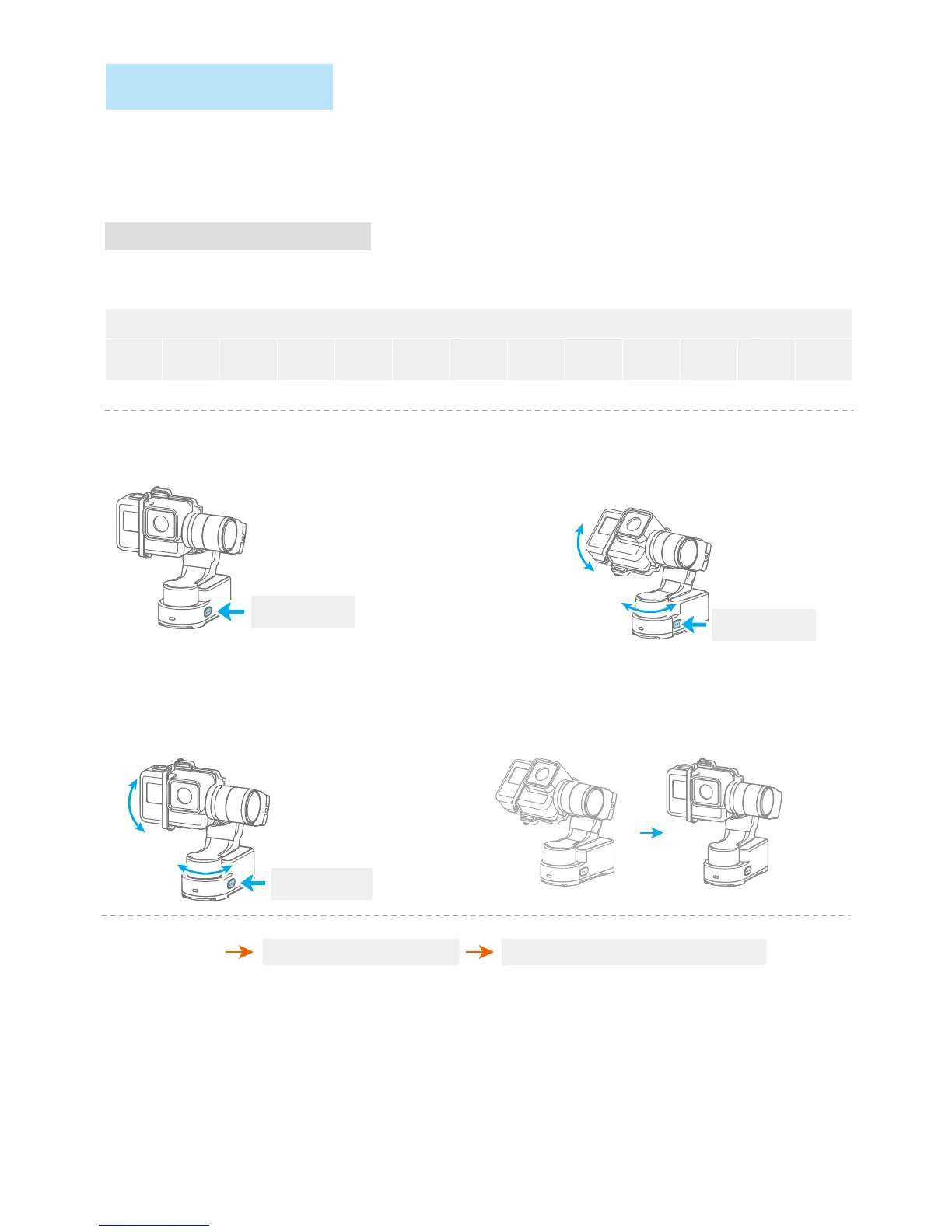
Record the first position (rotation start position) by manually moving
camera to desired position. Hold in position for half a second. Single
tap the function button to record rotation start position.
Record the second position (rotation end position) by
manuallymoving camera to desired position. Hold in
position for half a second.Single tap the function button
to record rotation end position.
The gimbal automatically restores to the start position, while the
tilt axis and pan axis start rotating at a constant speed according
to pre-set speed to end position, repeat step (2) (3) to start again.
( 2 ) Set rotation start position
( 3 ) Set rotation end position ( 4 ) Start auto rotation movements
( 1 ) Enter auto-rotation mode
Mode Button
Exit the auto-rotation mode and reset
Triple clickExit
Tilt
Pan
Pan Axis
Tilt Axis
*When the gimbal is placed in front, it cannot enter the auto-rotation mode.
Both the pan and tilt directions can be rotated.
function button
Four click
function button
Single click
function button
Single click


 To Next Page