EasyManua.ls Logo

Felix printers Tec 4 - Hot-End Height Difference Calibration; Hot-End X;Y Distance Calibration

Felix printers Tec 4
24 pages
Print Icon
To Next Page IconTo Next Page
To Previous Page IconTo Previous Page
Loading...
FELIXprinters Quick Start Guide for the FELIX Tec 4
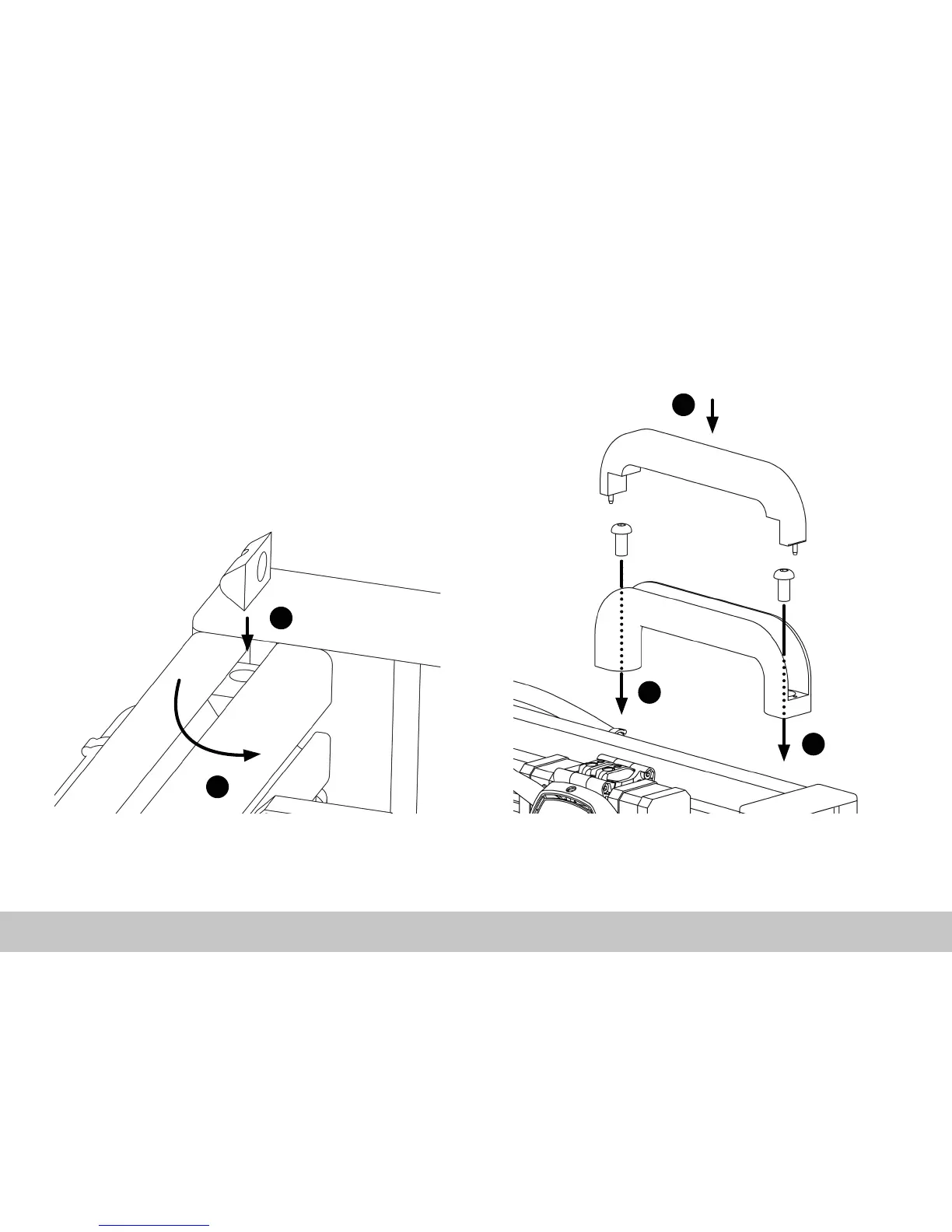
1.3 Installing the Handle
Page 9
Chapter 1: Unboxing
1. Put the T-nut upright into the T-slot of the prole.
2. Twist the T-nut 90 degrees in place.
3. Repeat this for both T-nuts.
1. Fix the handle against the vertical prole with the
two hexagon screws. Use a hex key size 5.
2. Press the handle cover on the handle
1
1
2
1
2

Other manuals for Felix printers Tec 4