
 Need help?
Do you have a question about the FELLER ENGINEERING MCS and is the answer not in the manual?
Ensures optimum reading angle and protects display electronics from contact.
Indicates operating status (green, yellow, red) from a distance for quick assessment.
Allows easy replacement of power cards and accessible fuses for quick servicing.
Guarantees max 16A heating current even at elevated temperatures via robust wiring.
Well-arranged UI with icons and touch fields for intuitive, self-explanatory operation.
All functions accessible via one-click navigation menu, enabling quick access to features.
Provides precise, step-by-step instructions with pictures for efficient malfunction resolution.
Analyzes control behavior by displaying process values (setpoint, actual, output) over time.
Chronologically records all state changes, faults, and settings for process optimization.
Tests sensor and heater wiring, detects errors like swapped sensors or polarity for new molds.
Generates a technical data file to aid error analysis and provide to Technical Support.
Enables remote operation via VNC server on computers, notebooks, tablets, and smartphones.
Allows operation via 15" or 19" touch monitors for tabletop and large units.
Allows remote control via an injection molding machine with a VNC client.
Enables injection molding machines to activate functions like Boost or outputs via digital signals.
Allows multiple controllers to act as one device via Ethernet for up to 360 zones.
Provides convenient placement and stable operation for MCS® tabletop units with storage.
Lists key functions including fast control, simple operation, and comprehensive monitoring.
Details available housing sizes and zone configurations for the MCS®e economy series.
Provides physical dimensions (W x H x D) for tabletop MCS units with 6 or 12 zones.
Provides physical dimensions (W x H x D) for tabletop MCS units with 18 or 24 zones.
Provides physical dimensions (W x H x D) for tabletop MCS units with 30 or 36 zones.
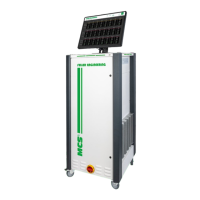
Provides physical dimensions (W x H x D) for large MCS units on rollers with 42 to 120 zones.
 General
| Category | Controller |
|---|---|
| Manufacturer | FELLER ENGINEERING |
| Model | MCS |
| Input Voltage | 24 VDC |
| Protection Class | IP20 |
| Communication Interface | CAN |

 To Next Page