98
WHAT’S IN THE BOX?
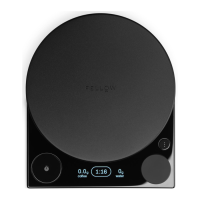
Tally Pro scale
Safety and Maintenance Manual
BATTERY
charge the battery by plugging the USB cable into any of the power
supplies listed below with an output of 5 volts and 1 amp:
• A USB wall-charger
• A computer
• A DC car-charger
Try not to let the battery completely run out before charging.
Charge the battery as needed.
When you plug in your scale the remaining battery level will flash on
battery level will show upon the device waking or going to sleep.
automatically turn off after 10 minutes without use unless it is in timing.
When timing the scale will automatically turn off after 20 minutes.
Listed/Certified Information Technology (Computer) Equipment or
Listed/Certified ITE Power Supply or Listed Class 2 Power Unit.
CARE AND CLEANING
These may damage the surface of the appliance.
Tally Pro is water resistant but NOT waterproof. Do not put any part
of your scale in the dishwasher. Do not immerse the scale in water
or any liquid.
Always ensure that the scale is turned off before cleaning.
Only clean with mild detergent cleaner or warm water. Wipe surfaces
underneath the weigh pan.
HOW TO REMOVE + REINSTALL WEIGH PAN
1.
A click will be felt.
2. Continue turning about 30 more degrees until the weigh pan
disengages.
3.
4. Align the four engagement notches and then turn about
30 degrees until a click is felt.


 To Next Page
 Loading...