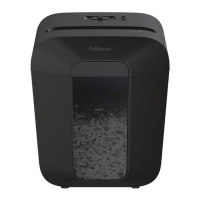
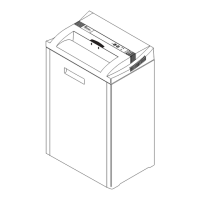
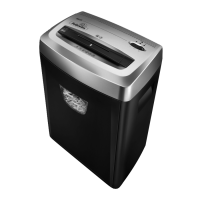
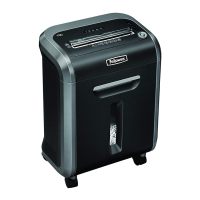
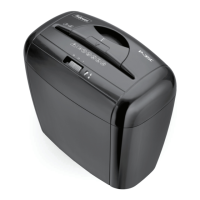
The Fellowes LX Series shredder is a personal document shredder designed for home or small office use, capable of shredding paper, small paper clips, plastic credit cards, and staples. It is a cross-cut shredder, meaning it cuts documents into small, confetti-like pieces for enhanced security.
Function Description:
The shredder operates by feeding documents into the paper/card entry (A). The shredder head (B) contains the cutting mechanism. For safety, the shredder will only operate if the shredder head is correctly positioned and used with the supplied basket (D). The control switch and LEDs (G) allow users to select between different modes: Reverse (KK), Off (O), and Auto-On (▷). An Auto-On (white) indicator shows when the shredder is ready for use, and an Overheat (red) indicator alerts the user if the shredder has exceeded its maximum operating temperature. The shredder also features a safety lock (F) to prevent accidental operation.
Important Technical Specifications (LX10 Model):
- Sheets Per Pass: 6 sheets of 70g A4 paper at 220-240v, 50/60Hz. Heavier paper, humidity, or lower voltage may reduce capacity.
- Cards Per Pass: 1 plastic credit card.
- Maximum Continuous Operation: 3 minutes.
- Cool Down Period: 30 minutes (after continuous operation beyond the maximum time).
- Cut Size: 4mm x 37mm (cross-cut).
- Current Draw at Capacity: 1.0A.
- Entry Width: 220mm.
- Maximum Recommended Daily Usage Rates: 30 sheets, 5 cards.
Usage Features:
- Basic Shredding: To begin shredding, plug in the device and set the control switch to Auto-On (▷). Feed paper or cards straight into the entry and release. Once finished, set the switch to Off (O).
- Safety Lock: The safety lock (F) can be slid down to prevent the shredder from operating, enhancing safety when not in use or around children and pets.
- Auto-On (▷) Mode: In this mode, the shredder automatically starts when paper is detected in the entry and stops once shredding is complete.
- Reverse (KK) Mode: This mode is crucial for clearing paper jams. If an object enters the top opening, switching to Reverse can help back out the object.
- Overheat Indicator: A red LED (4) illuminates if the shredder has been used continuously for too long and needs to cool down. The shredder will not operate until it has cooled sufficiently.
- Paper Jam Troubleshooting: In case of a paper jam, set the control switch to Reverse (KK) for 2-3 seconds to try and clear the jam. If the jam persists, alternate slowly between Reverse and Auto-On. If still jammed, set the switch to Off (O), unplug the shredder, and gently pull any uncut paper from the entry. Then plug it back in and set to Auto-On (▷) to resume shredding.
Maintenance Features:
- Oiling: All cross-cut shredders, including the LX Series, require oiling for peak performance. Without regular oiling, the machine may experience reduced sheet capacity, increased noise, and could eventually stop functioning. Fellowes recommends oiling the shredder each time the waste bin is emptied.
- Oiling Procedure: To oil the shredder, first set the control switch to Off (O). Apply non-aerosol vegetable oil (such as Fellowes 35250) across the paper entry. Then, set the switch to Reverse (KK) for 2-3 seconds. This procedure should be repeated twice.
- Cleaning: Unplug the shredder before cleaning or servicing.
- Safety Precautions:
- Keep hands, children, and pets away from moving parts and the paper entry.
- Keep foreign objects like gloves, jewelry, clothing, and hair away from shredder openings.
- DO NOT use aerosol products, petroleum-based lubricants, "canned air," or "air duster" on or near the shredder, as vapors can combust and cause serious injury.
- Avoid touching exposed cutting blades under the shredder head.
- Do not use if damaged or defective, and do not disassemble the shredder.
- Do not place the shredder near heat sources or water.
- Ensure the shredder is plugged into a properly grounded wall outlet of the correct voltage and amperage. Do not use energy converters, transformers, or extension cords with this product.
- DO NOT shred greeting cards with sound chips or batteries due to fire hazard.
- For indoor use only.
The LX Series shredder is designed for user convenience with its Auto-On feature and clear indicators for operational status and potential issues like overheating. Regular maintenance, particularly oiling, is emphasized to ensure the longevity and optimal performance of the device.


 To Next Page


 General