ENGLISH
2
CAPABILITIES
IMPORTANT SAFETY INSTRUCTIONS — Read Before Using!
When punching;
• always ensure the machine is on a stable surface
• test punch scrap sheets and set the machine before punching
nal documents
• remove staples and other metal articles prior to punching
• never exceed the machines quoted performance
Punching Capacity
Paper sheets
70-80g / 20lb 20 sheet
Transparent covers
100-200 micron / 4-8 mil 3 sheet
200+ micron / 8+ mil 2 sheet
Other standard covers
160-270g / 40-60 lb 3 sheet
270+g / 60+ lb 2 sheet
Please keep for future reference
BINDING CAPACITY
Max comb size 38mm
Max document (80g / 20lb) 300 sheet
TECHNICAL DATA
Paper dimensions A4
Punching slots 21
Slot pitch 14.28mm / 9/16”
Adjustable edge guide yes
Waste tray capacity 1500 sheet
Net weight 7 kg / 15.4 lb
Dimensions (LxDxH) 460 x 396 x 135mm / 18.1” x 15.6” x 15.3”
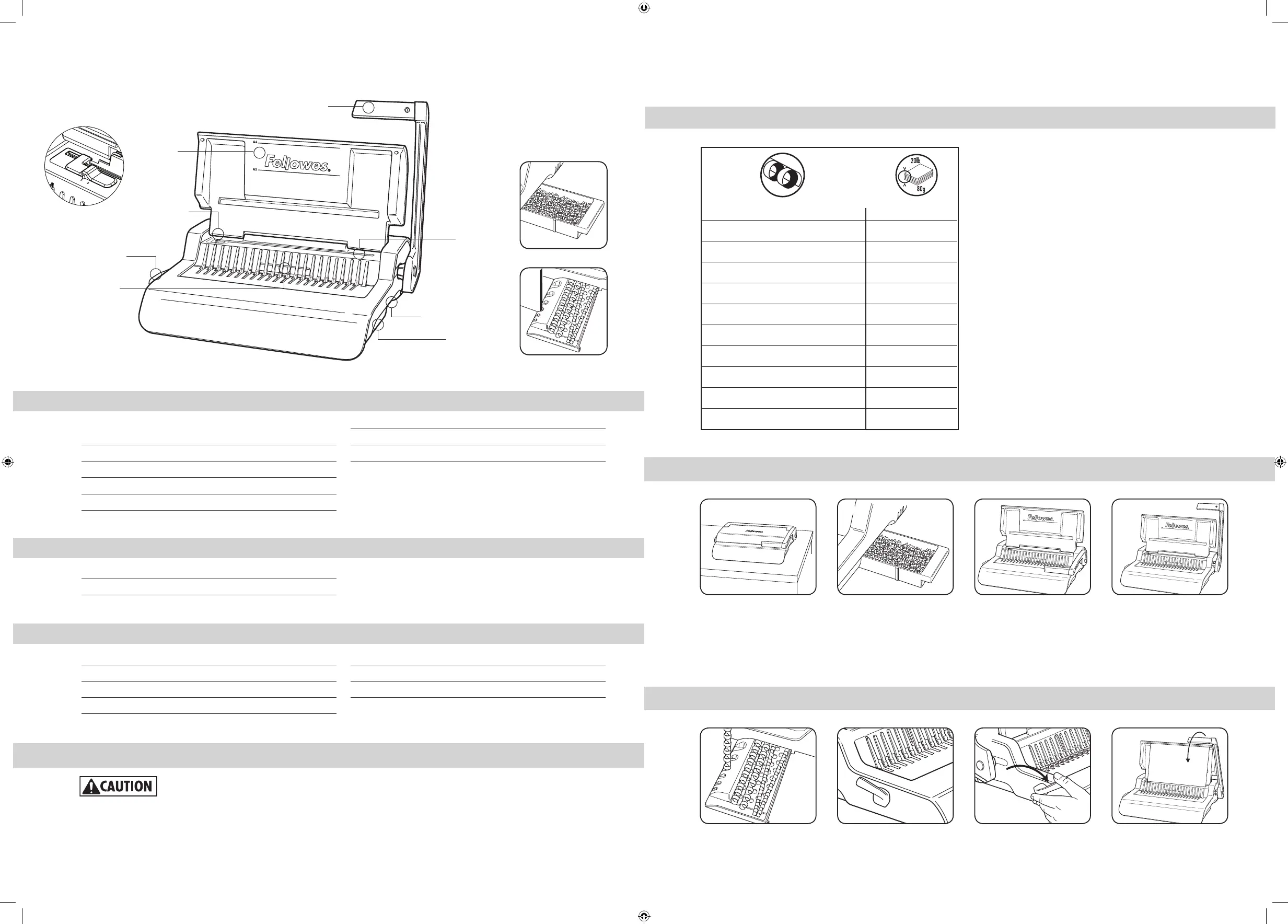
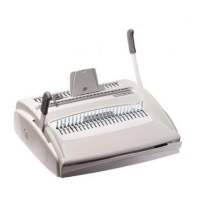
Punch handle
Document sup-
port (lid)
Waste tray
Window
Comb opening lever
Adjustable edge guide
Comb storage and
Document measure
Paper entry
Comb storage and Document
measure
Waste tray
3
COMB DIAMETER & DOCUMENT SIZES
SET UP
21 3 4
1. Ensure the machine is on a
stable surface.
2. Check waste tray is empty
and correctly fitted
3. Lift the lid. Ensure the
comb-opening lever is pushed
backwards.
4. Lift the punch handle to its
upright position.
BEFORE YOU BIND
21 3 4
1. Select the correct comb diam-
eter using the comb storage tray.
2. Insert the plastic comb into
the mechanism.
3. Pull comb-opening lever
forward to open the comb.
4. Test punch scrap sheets to
check edge guide setting.
mm inch number of pages
6mm 1/4” 2-20
8mm 5/16” 21-40
10mm 3/8” 41-55
12mm 1/2” 56-90
16mm 5/8” 91-120
19mm 1 1/16” 121-150
22mm 7/8” 151-180
25mm 1” 181-200
32mm 1 1/4” 201-240
38mm 1 1/2” 241-340
Pulsar Plus 300_407969_RevC_23L_103116.indd 3 10/31/16 3:51 PM


 To Next Page