5
4
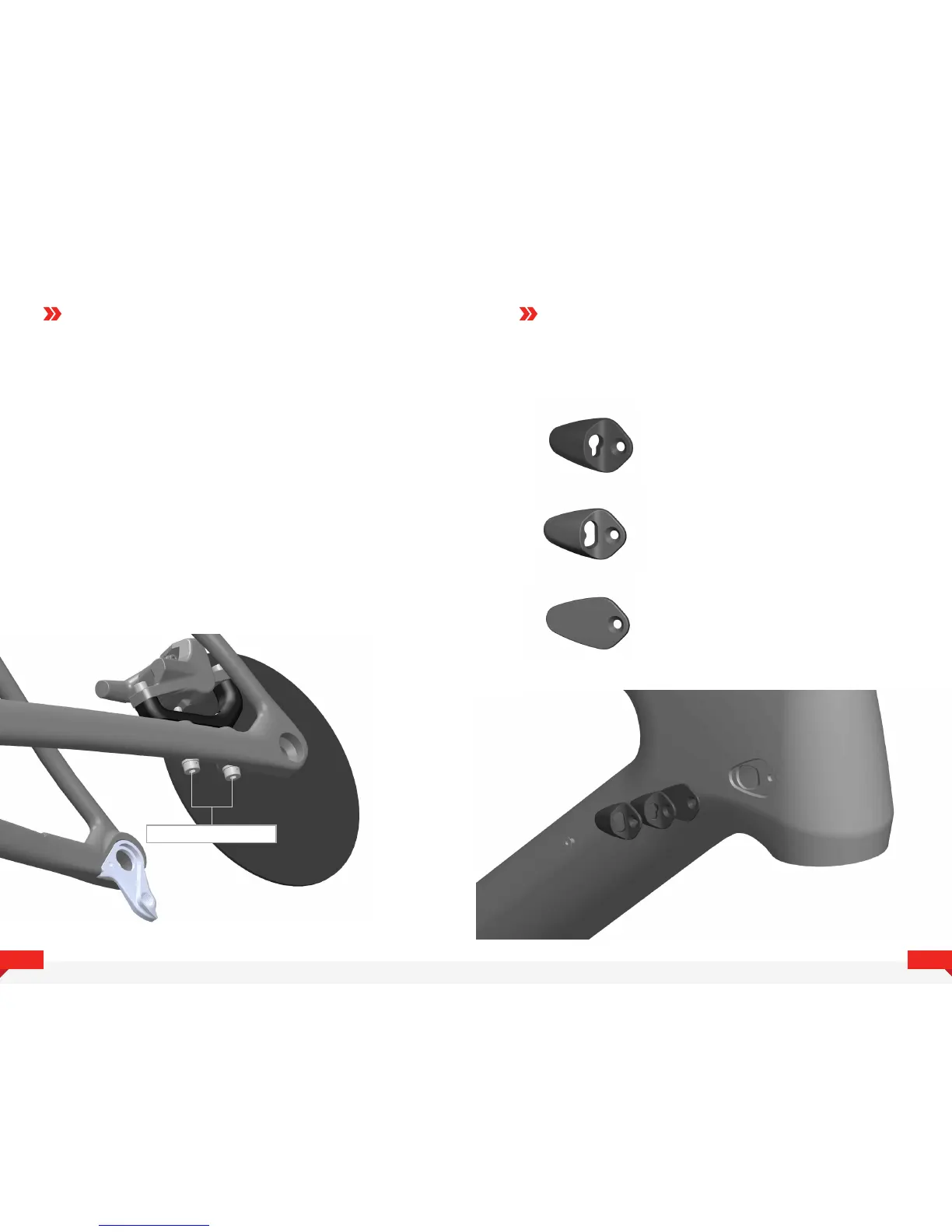
CALIPER INSTALLATION CABLE GUIDES
1. Install the caliper/adapter assembly on bike
using included 5mm socket head cap screws,
but do not tighthen them down yet.
2. Install wheel and rotor
3. Squeeze brake lever to center caliper,
tighten mounting screws gently.
4. Spin wheel to check for rotor rub, if rub
is detected adjust as necessary.
5. When the caliper is centered properly torque
the mounting bolts to 5Nm
6. Some times it is required to readjust the position of the caliper
on the decoupling bracket if the caliper cannot be centered
properly after following this procedure.
5mm Socket Head Cap Screws
There are 3 interchangeable cable guides
that fit the Doctrine.
• Blanking plate (CCN096YB)
This covers the cable
port when it is not used
• Two Hole 5mm x 3mm (CCN098YB)
This port fits a 4 or 5mm cable or
hoses as well as a E-tube wire.
• Two Hole 5mm (CCN099YB)
This Cable port fits two
4 or 5mm cables or hoses.



 To Next Page